roundups
Best Office Lighting 2026: Desk Lamps, Monitor Bars, Floor Lamps
Office lighting picks: BenQ ScreenBar, Dyson Solarcycle, Philips Hue go-anywhere. Bias light, task lighting, and full-room solutions compared.
 Daniel Osei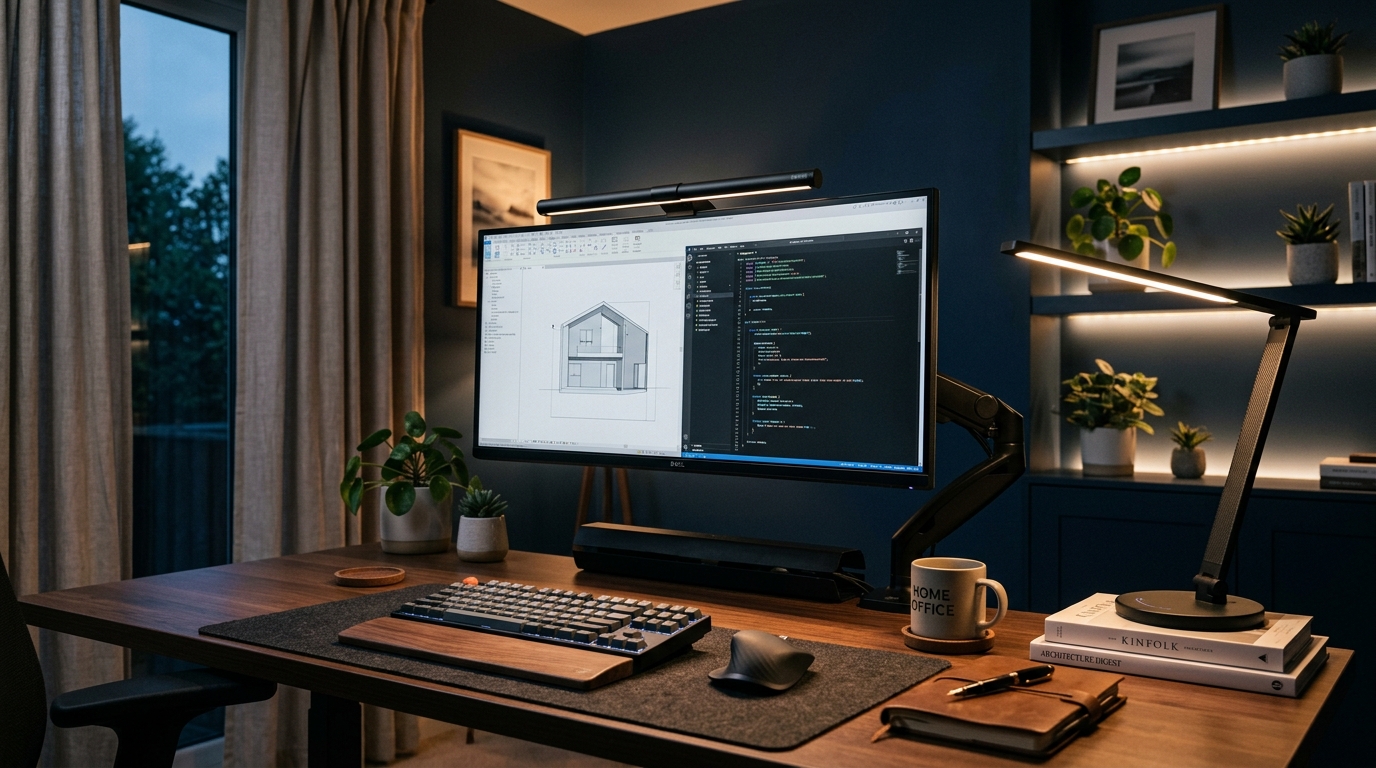
Office lighting is the ergonomic upgrade that nobody talks about and everybody needs. Your monitor pumps light directly at your face for 8+ hours per day. Your surrounding room is typically darker by an order of magnitude. The contrast forces your eyes to constantly adjust between bright-screen and dim-surroundings, causing the headaches and eye fatigue that get blamed on “screen time” — when the real culprit is the dim room. Fix the lighting, fix the headaches.
The three roles of office lighting
Office lighting splits into three jobs, and each needs different equipment:
- Ambient room lighting: makes the surrounding room comparable in brightness to the monitor. A bright overhead light or floor lamp. Reduces contrast strain.
- Task lighting: illuminates your work surface (keyboard, papers) without hitting the monitor. Desk lamp or monitor light bar.
- Bias lighting: a subtle backlight behind the monitor that softens the contrast between the bright screen and the dark wall. LED strip or bias light bar.
You don’t need all three. Most home offices benefit most from #2 (task lighting). Add #3 if you work in dim rooms; add #1 if the room is genuinely dark.
Quick comparison
| Product | Best for | Rating | Notes | |
|---|---|---|---|---|
| BenQ ScreenBar Halo | best monitor light bar; auto-dimming + bias light | ★★★★★ | $200-240. Wireless remote. Adjustable temp. | Check price |
| BenQ ScreenBar (original) | best monitor light bar under $150 | ★★★★★ | $100-130. USB-powered. Touch controls. | Check price |
| Quntis ScreenBar (budget) | cheapest legitimate monitor bar | ★★★★☆ | $40-70. USB-powered. Compact. | Check price |
| BenQ WiT MindDuo Pro / e-Reading Lamp | premium desk lamp; broad coverage | ★★★★★ | $200-280. Articulating arm. Auto-dimming. | Check price |
| TaoTronics LED Desk Lamp | budget desk lamp under $50 | ★★★★☆ | $30-50. 5 color temps. USB charging port. | Check price |
| Govee LED strip (bias light) | bias lighting behind the monitor | ★★★★★ | $15-30 per 6.5 ft. RGB or warm white. USB-powered. | Check price |
| Philips Hue Go (portable) | ambient room boost; smart-home integration | ★★★★★ | $80-120. Battery-powered. App control. | Check price |
The picks
Best monitor light bar: BenQ ScreenBar Halo
Best for serious desk lighting; the consensus best monitor light bar
BenQ ScreenBar Halo (with wireless dimmer)
The BenQ ScreenBar Halo is the upgrade tier of the monitor-light-bar category — a thin LED bar that clips over the top of your monitor and casts focused light down onto your keyboard and papers. Critically, the light is angled so it doesn't hit the monitor screen itself (no glare). The Halo adds an auto-dimming sensor that adjusts brightness based on room conditions, a wireless desktop remote (no reaching up to the bar to change settings), AND an integrated bias light strip on the back side of the bar facing the wall. Adjustable color temperature (2700-6500K) lets you warm the light at night and cool it during the day.
★★★★★ 4.8 · 3,200 reviews
Check current price on Amazon→Pros
- Auto-dimming based on room ambient light
- Wireless rotary remote on the desktop (no reaching to the bar)
- Integrated bias light strip — replaces the need for a separate Govee LED strip
- Adjustable color temperature (2700-6500K)
- Clips on any monitor; no drilling, no clutter
- Premium build — should last 5-10+ years
Cons
- $200-240 is premium pricing for "office lamp"
- Wireless remote is one more device on the desk
- Light direction is fixed — designed specifically for monitor-bar position; not adjustable like a desk lamp arm
- Some users prefer separate task light + bias light because the integrated Halo bias light isn't adjustable for color
Best monitor bar value: BenQ ScreenBar (original)
Best for users who want the BenQ ScreenBar without the premium Halo upgrade
BenQ ScreenBar Monitor Light Bar
The original BenQ ScreenBar is the workhorse of this category. Same anti-glare positioning as the Halo, same adjustable color temperature, slightly less convenient touch controls on the bar itself (no wireless remote), and no integrated bias light strip. \$100-130 makes it half the price of the Halo. For users who don't need wireless remote control or integrated bias lighting, this is the value pick — and it's still the best monitor light bar under \$150.
★★★★★ 4.7 · 9,800 reviews
Check current price on Amazon→Best budget monitor bar: Quntis ScreenBar
Best for users who want a monitor light bar under \$70
Quntis ScreenBar (USB-powered LED Monitor Light)
The Quntis is the legitimate budget alternative to BenQ. Same general design — LED bar that clips over the monitor, USB-powered, adjustable brightness and color temperature. Build quality is a notch below BenQ (slightly less even light distribution, less premium feel) but the functional output is comparable. At \$40-70 it's the right call for users who want monitor-bar lighting without spending BenQ money.
★★★★☆ 4.4 · 4,800 reviews
Check current price on Amazon→Best desk lamp: BenQ WiT MindDuo Pro
Best for users who want articulating-arm desk lamp instead of a monitor bar
BenQ WiT MindDuo Pro / e-Reading Lamp
If you want a traditional desk lamp form factor (articulating arm, fixed base) instead of a monitor bar, the BenQ WiT MindDuo is the consensus pick. Broad horizontal LED that illuminates a wider area than typical desk lamps, auto-dimming sensor, and a unique split-arm design that spreads light evenly across the desk surface. \$200-280 is premium pricing; the cheaper Taotronics alternatives work fine for users who don't need the auto-dimming feature.
★★★★★ 4.6 · 2,400 reviews
Check current price on Amazon→Best budget desk lamp: TaoTronics LED
Best for budget desk lamp tier; functional and well-built under \$50
TaoTronics LED Desk Lamp
The TaoTronics LED desk lamp is the long-time budget pick. 5 color temperature presets (2700-6500K), 5 brightness levels, integrated USB charging port at the base, and a folding articulating arm. The build is plastic but solid; the lamp head pivots for direct light placement. \$30-50 makes it the value tier for users not ready to spend \$200 on a BenQ.
★★★★☆ 4.4 · 28,000 reviews
Check current price on Amazon→Best bias light: Govee LED Strip
Best for users who want bias lighting behind the monitor without the BenQ ScreenBar Halo cost
Govee Smart LED Strip (bias lighting kit)
A bias light is a subtle backlight behind your monitor that softens the contrast between the bright screen and the dark wall. Govee LED strips are the standard recommendation: peel-and-stick mount to the back of the monitor, USB-powered (no wall warts), and the warm-white setting (~3000K) is what you want for office use. \$15-30 per strip covers most monitor sizes. Skip the RGB / smart-home features for office use; warm white is what matters.
★★★★★ 4.5 · 12,000 reviews
Check current price on Amazon→What to avoid
- Ring lights for non-camera work. Ring lights are designed for video — they put a bright source directly in front of your face. For typing/reading at a desk, ring lights cause more glare than they solve.
- “Smart” desk lamps with required app subscriptions. Some Wi-Fi-enabled lamps require an ongoing app subscription for full features. Skip them; physical controls and basic Wi-Fi without subscriptions work fine.
- Cheap LED strips under $10. Color shift over time (LEDs degrade unevenly), unreliable adhesive that falls off, and dim output. The $15-30 Govee tier is the floor.
FAQ
Frequently asked questions
Monitor light bar or desk lamp — which is better?
What color temperature should I use?
Is the BenQ ScreenBar really worth $100+?
Do I need a bias light?
How important is overhead room lighting?
What about lighting for video calls?
Bottom line
Best overall: BenQ ScreenBar Halo (monitor light bar with bias light + auto-dimming). Best value: original BenQ ScreenBar. Best budget: Quntis ScreenBar. Best desk lamp: BenQ WiT MindDuo Pro or TaoTronics LED for budget. Best bias light: Govee LED Strip (warm white setting).
Most home offices benefit most from a monitor light bar — the rest is optional unless you have specific lighting issues.
Round out the ergonomic kit: chair, standing desk, keyboard, mouse, monitor arm, anti-fatigue mat, webcams + mics, or pillar overview.