roundups
Best Monitor Arms 2026 (Ergotron, Humanscale, Herman Miller)
Monitor arm picks across budget, mid, and premium tiers. Ergotron LX, Humanscale M2.1, AmazonBasics compared on load capacity and motion range.
 Daniel Osei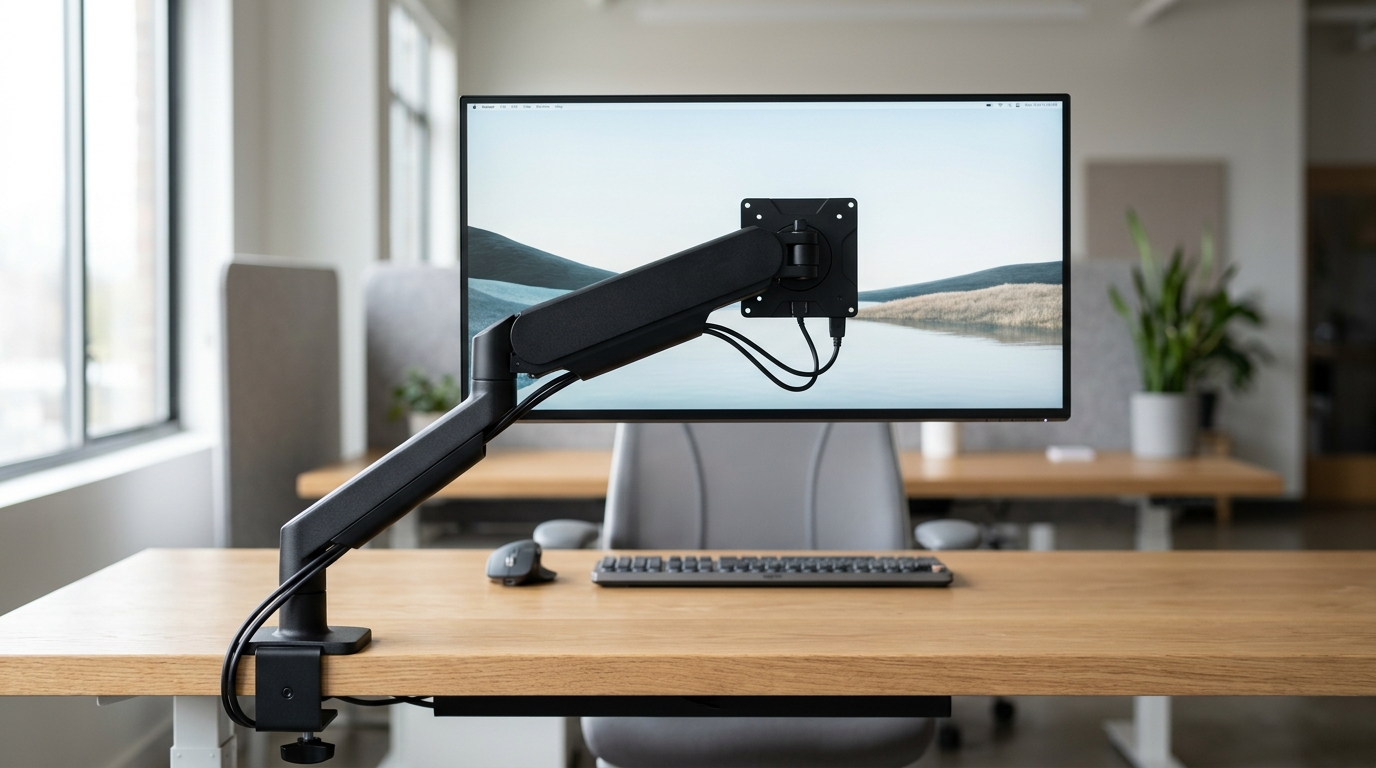
A monitor arm is the most-underrated ergonomic upgrade in the home office. The built-in monitor stand puts your screen at the wrong height (too low, almost always), in the wrong location (centered on the desk regardless of where you sit), at the wrong tilt (flat vertical, which forces neck extension). A $150 monitor arm fixes all three in under five minutes of adjustment and stays out of the way of everything else on your desk. Most office-chair upgrades cost 5-10× what a monitor arm costs and produce less daily comfort gain.
How monitor arms differ
Three meaningful axes:
- Mechanism. Gas-spring (continuous adjustment, holds any position with light pressure) vs spring-tension (preset clicks) vs counterbalance (mechanical pivot). Gas-spring is the dominant home-tier choice.
- Load capacity. Range from 2-19 lbs (single-monitor budget) to 25-30 lbs (heavy ultrawide). Match to your monitor — including the built-in stand weight if you’ll leave it attached.
- Range of motion. Extension reach (how far from the mount point), pivot range (how much side-to-side), tilt and rotation. Premium arms support 360° rotation; budget arms typically limit to 180°.
Quick comparison
| Product | Best for | Rating | Notes | |
|---|---|---|---|---|
| Ergotron LX (single) | consensus best monitor arm; 25-yr design history | ★★★★★ | $170-220. 7-25 lb. Polished aluminum. 13" extension. | Check price |
| Humanscale M2.1 | premium build; rotary-action no-gas-spring design | ★★★★★ | $370-420. 6-15 lb. Counterbalance mechanism. | Check price |
| Herman Miller Ollin (Colebrook Bosson Saunders) | premium aesthetic; integrated with Herman Miller workstations | ★★★★★ | $400-500. 4-20 lb. Available through Herman Miller dealers. | Check price |
| AmazonBasics Premium Single | budget that holds up; 90% of Ergotron at half price | ★★★★★ | $80-110. 4-20 lb. Identical chassis to Vivo. | Check price |
| Ergotron HX (heavy) | ultrawide monitors and 30+ inch displays | ★★★★★ | $300-400. 7-42 lb (with HD pivot). Reinforced. | Check price |
| Ergotron LX Dual | two monitors on one arm system | ★★★★★ | $280-340. Two arms on one pole. Side-by-side. | Check price |
| Vivo Single Monitor Arm | absolute budget tier | ★★★★☆ | $30-50. 2-19 lb. Functional but spring-tension only. | Check price |
The picks
Best overall: Ergotron LX
Best for the consensus best monitor arm; suits 90% of home offices
Ergotron LX Single Monitor Arm
The Ergotron LX has been the standard recommendation in ergonomics forums for over a decade and for good reason: polished aluminum construction (looks like a real piece of equipment, not Amazon-shipping-week plastic), gas-spring mechanism that holds any position smoothly, 13-inch extension reach, 7-25 lb load capacity covering most monitors up to 34 inches, and a 10-year warranty that Ergotron actually honors. At \$170-220 it's twice the price of the AmazonBasics clone — and it lasts 3× as long.
★★★★★ 4.7 · 9,800 reviews
Check current price on Amazon→Pros
- Gas-spring holds any position with light finger pressure
- 13-inch extension reach (longer than most competitors)
- Cable management groove integrated into the arm
- Polished aluminum + steel; not the plastic of budget alternatives
- 10-year warranty Ergotron actually honors
- Available in 4 colors (silver, black, white, polished)
Cons
- $170-220 is roughly double the budget tier
- Heavier than budget arms; harder to disassemble for moves
- 7 lb minimum load — lightweight monitors (under 7 lbs) can be too light to hold position cleanly
- Single-monitor only; dual setup needs the LX Dual or a different system
Best budget that actually holds up: AmazonBasics Premium
Best for users who want 90% of Ergotron performance at half the price
AmazonBasics Premium Monitor Arm (single, full-motion)
The AmazonBasics Premium uses the same chassis as Vivo's higher-end arms — same cast aluminum construction, same gas-spring mechanism, same VESA pattern range. For \$80-110 you get a monitor arm that holds up for 3-5 years of typical home use, with the trade-off that Amazon's warranty support is less polished than Ergotron's. For users who'll keep the monitor arm 3-5 years before upgrading, the value math favors AmazonBasics.
★★★★★ 4.5 · 14,000 reviews
Check current price on Amazon→Best premium: Humanscale M2.1
Best for design-conscious users; offices where aesthetics matter alongside performance
Humanscale M2.1 Monitor Arm
The Humanscale M2.1 takes a different approach to motion — counterbalance instead of gas-spring. The arm moves with a smooth rotary action rather than the slight bounce of gas-spring designs, and the form factor is dramatically slimmer (one streamlined curve instead of dual jointed pivots). At \$370-420 it's a premium pick whose value is largely aesthetic; functionally, the Ergotron LX delivers equivalent positioning at half the price.
★★★★★ 4.7 · 1,800 reviews
Check current price on Amazon→Best for ultrawide / heavy monitors: Ergotron HX
Best for 32-inch+ ultrawide monitors, curved displays, and anything over 20 lbs
Ergotron HX Heavy-Duty Monitor Arm (with HD Pivot)
Most monitor arms cap at 20-25 lbs. The Ergotron HX is built to hold genuinely heavy ultrawide displays — up to 42 lbs with the HD Pivot accessory. The arm is reinforced throughout: thicker steel pivots, larger gas springs, and a sturdier mounting base. For owners of LG 38-inch ultrawides, Samsung Odyssey curved 49-inchers, or LG OLED-monitor types, this is the arm category.
★★★★★ 4.6 · 920 reviews
Check current price on Amazon→Best dual-monitor: Ergotron LX Dual
Best for dual-monitor home offices; side-by-side arrangement on one mount
Ergotron LX Dual Monitor Arm (Side-by-Side)
The LX Dual uses Ergotron's same LX arm design but on a shared pole — both monitors mount to one clamp, sharing the structural load. The trade-off vs two separate single arms: cleaner cable routing and smaller desk footprint, but slightly reduced independent positioning (the monitors share a base, so they can't be pulled in radically different directions). For most dual setups, this is the right answer.
★★★★★ 4.6 · 3,200 reviews
Check current price on Amazon→Clamp vs grommet mount
Two mounting methods:
- Clamp: tightens onto the back edge of your desk. Works on 99% of desks. No drilling. Limit: desk back edge must be flat and 0.4-3 inches thick.
- Grommet: drops through a hole drilled in the desk. Cleaner look (no clamp visible from behind). Permanent.
For renters or anyone uncertain about permanence: clamp. For permanent home offices with desks you don’t mind drilling: grommet works fine. Most arms ship with both hardware options included.
What to avoid
- Sub-$30 monitor arms. Spring-tension only (no gas-spring), thin metal pivots, no real cable management. They fail within 6-12 months of daily use.
- Generic “fits all” arms with VESA range under 75x75mm. Modern monitors use 75x75mm or 100x100mm VESA mounts. Older arms designed for tiny LCDs don’t fit current displays.
- Arms with rated capacity exactly matching your monitor weight. The rating should exceed your monitor weight by at least 30%. A 12-lb monitor on a 12-lb-rated arm will sag over time.
FAQ
Frequently asked questions
Is a monitor arm really worth $170?
Ergotron LX or AmazonBasics — which to pick?
Will my monitor fit?
Can monitor arms handle curved ultrawides?
How do I set the right monitor height?
What about laptop arms?
Bottom line
Best overall: Ergotron LX. Best budget: AmazonBasics Premium. Best premium: Humanscale M2.1. Best for ultrawides: Ergotron HX. Best dual: Ergotron LX Dual.
Skip sub-$30 monitor arms entirely; they’re worse than the built-in stand.
For the full home office setup: chair, standing desk, keyboard, mouse, or the pillar overview.