roundups
Best Webcams & Microphones for Home Office 2026
Webcam and microphone picks for remote work and video calls. Logitech Brio, Insta360, Shure MV7+, Elgato compared on image and audio quality.
 Daniel Osei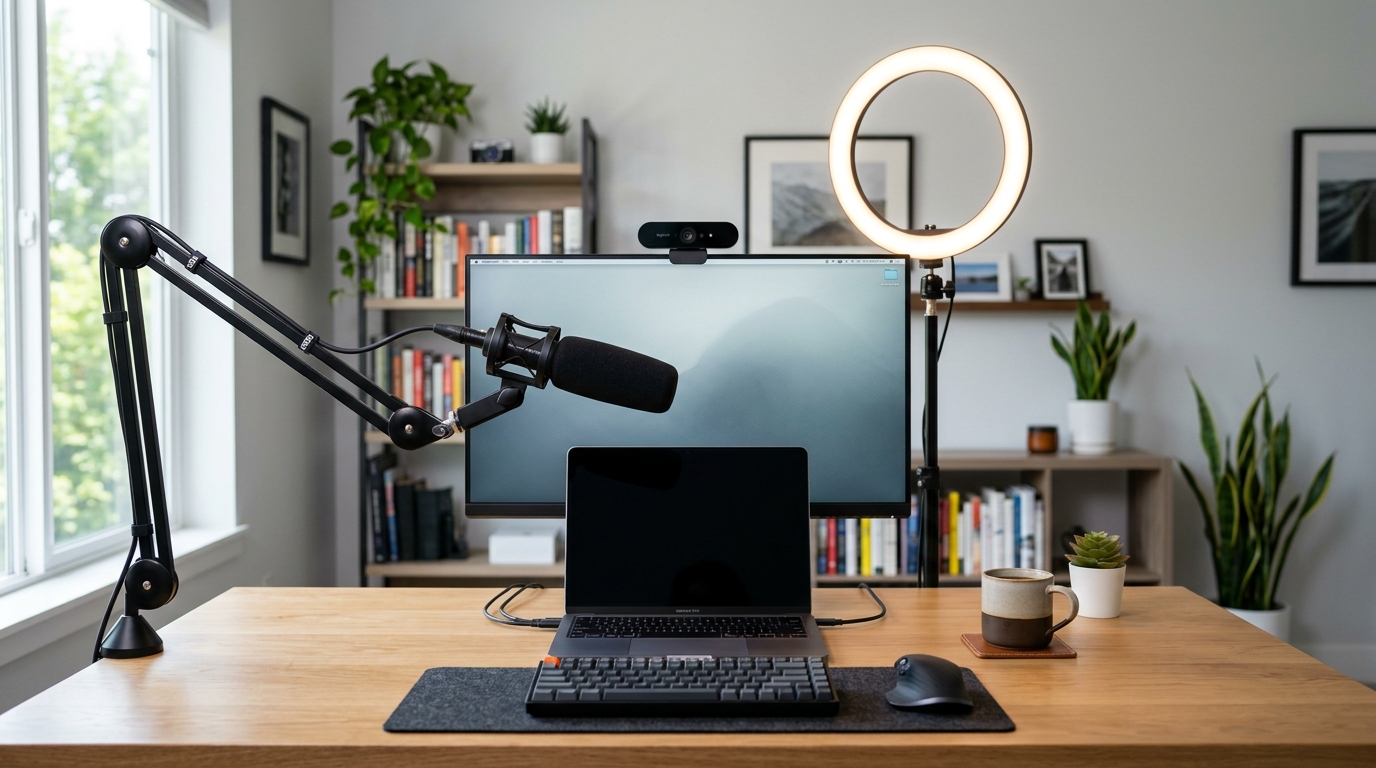
Your laptop’s built-in webcam and microphone are the single most-obvious “this person is working from home” giveaway on any video call. A $100 external webcam and a $100 USB microphone collectively close 90% of the quality gap to broadcast-grade audio/video. For anyone on 4+ video calls per week — and that’s most remote workers — the upgrade matters more for perception than people admit.
Webcams: how they actually differ
Three meaningful axes:
- Sensor and lens quality. 1080p sensors are the floor; 4K is the standard for premium webcams. The sensor matters less than the lens — a 1080p webcam with a good lens (Logitech C920 era) outperformed many cheap 4K webcams.
- Low-light handling. The single biggest difference in real-world use. Built-in laptop webcams produce noisy, dim video in normal home lighting; quality external webcams have larger sensors that produce clean video in the same room.
- Auto-framing / AI features. Brio 500 series and similar webcams use AI to track you and recompose framing as you move. Useful for hybrid setups; unnecessary for users who sit still during calls.
Microphones: how they actually differ
Two main mic categories:
- Condenser USB mics (Blue Yeti, Shure MV7+): pick up wide audio range, sound “broadcast” out of the box. Pick up room sound — your fans, your AC, your kids — alongside your voice.
- Dynamic USB mics (Shure SM7B with interface, Rode PodMic USB): pick up narrow directional audio. Sound less “lush” but reject room noise dramatically better. Preferred for noisy home offices.
For most remote-work calls in average home offices: dynamic mics produce better results than condenser mics, even though condensers are the typical “podcast mic” recommendation.
Quick comparison: webcams
| Product | Best for | Rating | Notes | |
|---|---|---|---|---|
| Logitech Brio 500 / 4K | consensus best webcam | ★★★★★ | $120-200. 4K. Wide-angle. AI auto-framing. | Check price |
| Logitech MX Brio | premium upgrade with Show Mode | ★★★★★ | $200-300. 4K. Show-mode tilts to face the desk. | Check price |
| Insta360 Link 2 | AI tracking; mechanical pan/tilt | ★★★★★ | $200-280. 4K. Gimbal mount tracks you across the room. | Check price |
| Logitech C920 (legacy) | budget tier; meaningfully better than laptop cam | ★★★★☆ | $50-80. 1080p. Solid lens. 10+ year design history. | Check price |
| Anker PowerConf C300 | budget alternative with AI framing | ★★★★☆ | $80-120. 1080p. Auto-framing competitive with Brio. | Check price |
Quick comparison: microphones
| Product | Best for | Rating | Notes | |
|---|---|---|---|---|
| Shure MV7+ (USB + XLR) | consensus best USB mic for home office | ★★★★★ | $280-330. Dynamic. Onboard EQ + touch controls. | Check price |
| Rode PodMic USB | best USB-only dynamic; rejects room noise | ★★★★★ | $200-240. Dynamic. USB-C + XLR. Heavy build. | Check price |
| Blue Yeti X | best condenser USB; broadcast-ish sound | ★★★★★ | $130-170. Condenser. Easier than dynamic; picks up room. | Check price |
| Elgato Wave:3 | condenser with onboard mixer software | ★★★★★ | $130-160. Condenser. Wave Link mixer. | Check price |
| Shure MV6 | budget dynamic alternative | ★★★★★ | $130-160. Dynamic. Simpler MV7 — fewer features. | Check price |
The picks
Best webcam: Logitech Brio 500
Best for the consensus best webcam for serious home-office use
Logitech Brio 500 (4K Webcam)
The Brio 500 is the consensus best webcam for remote workers. 4K sensor with Logitech's RightLight 5 low-light handling (genuinely good in normal room lighting), AI-driven auto-framing that keeps you centered as you move, integrated privacy shutter, and a magnetic mount that swaps cleanly between monitor and tripod. Logi Tune software for fine-tuning exposure and white balance. At \$120-200 it's premium but reasonable; the alternative is a webcam that makes you look like you're calling from a 2017 laptop.
★★★★★ 4.7 · 4,400 reviews
Check current price on Amazon→Best webcam premium: Logitech MX Brio
Best for users who want the premium webcam tier; Show Mode for hybrid demos
Logitech MX Brio (4K Webcam with Show Mode)
The MX Brio adds Show Mode — a built-in mechanism that lets the camera tilt downward to capture your desk surface (for sketching, demos, products) without a separate document camera. Genuinely useful for hybrid demos, design reviews, or anyone who shares physical artifacts on calls. Otherwise functionally similar to the Brio 500. \$200-300 vs \$120-200 — the upgrade is worth it specifically for the Show Mode feature.
★★★★★ 4.7 · 1,100 reviews
Check current price on Amazon→Best mic: Shure MV7+
Best for the consensus best home-office microphone; dynamic + USB-C makes it bulletproof
Shure MV7+ Dynamic USB/XLR Microphone
The Shure MV7+ is the right microphone for remote work for one reason: it sounds professional out of the box in real home environments. Dynamic capsule rejects room noise (fans, AC, kids in the background) the way condenser mics can't. USB-C connection means no audio interface needed. Onboard EQ presets and touch controls let you tweak without software. \$280-330 is a real investment; the audio quality difference is immediately obvious on every call you take. Pair with the boom arm (\$30-50) for proper positioning.
★★★★★ 4.8 · 2,900 reviews
Check current price on Amazon→Best mic budget tier: Rode PodMic USB
Best for best dynamic USB mic under \$250
Rode PodMic USB
The Rode PodMic USB is the budget alternative to the Shure MV7+. Dynamic capsule (same room-noise rejection benefit), USB-C and XLR connectivity, and Rode's solid build quality. The trade-off vs the Shure: fewer onboard controls (no touch interface or onboard EQ presets), heavier and less aesthetic. At \$200-240 it's 30% cheaper than the MV7+; for users who don't need the onboard mixing features, it's the smart choice.
★★★★★ 4.7 · 1,800 reviews
Check current price on Amazon→Best mic for “broadcast” sound: Elgato Wave:3
Best for users who want broadcast condenser-mic sound and don't have noisy rooms
Elgato Wave:3 Premium USB Condenser Microphone
If you have a quiet home office (no fans, no AC noise, no street sound), a condenser mic produces a richer, more podcast-style sound than a dynamic. The Elgato Wave:3 is the best USB condenser for the home-office tier — solid build, Wave Link mixer software for advanced channel management, and a sound profile that's been on a thousand work-from-home podcasts. The catch: it picks up everything in the room, so your mileage varies by environment.
★★★★★ 4.6 · 3,400 reviews
Check current price on Amazon→Best budget combo
For users wanting the full upgrade under $250 total:
- Anker PowerConf C300 webcam ($80-120) — auto-framing competitive with Brio at half the price
- Shure MV6 microphone ($130-160) — simpler MV7 variant with the same dynamic capsule
Total $210-280 buys you 90% of the audio/video quality of a $500 setup.
What to avoid
- “Streaming starter kit” bundles under $80. The webcam is OK; the microphone is invariably a low-quality condenser that picks up everything in the room.
- Wireless USB microphones. Real wireless mics (Rode Wireless GO II) are excellent but require receivers and are designed for video; USB wireless mics are usually low-quality compromises.
- Webcams with software that requires a subscription. Some webcams (mostly off-brand 4K) require a paid app subscription for AI features. Both Logitech and Anker include their software free.
Lighting
A ring light or panel light improves video meaningfully in low-light rooms. Two options:
- LED ring light on stand ($30-80) — classic “video creator” look, sits behind your monitor
- Bi-color LED panel on a desk arm ($60-150, Elgato Key Light Air) — looks more professional, mounts cleanly
For most users in normal home offices: lighting is the third upgrade after webcam and mic. Skip it initially; revisit if your video still looks dim with the new webcam.
FAQ
Frequently asked questions
Do I really need to upgrade from my laptop webcam?
Webcam or microphone — which to upgrade first?
Shure MV7+ vs Blue Yeti — which to pick?
How much does decent video lighting cost?
Do I need a green screen?
How important is webcam mounting?
Bottom line
Best webcam: Logitech Brio 500. Best mic: Shure MV7+. Best budget combo: Anker PowerConf C300 + Shure MV6. Skip ring lights and green screens until after the webcam and mic upgrades land.
For the rest of the home office: chair, standing desk, keyboard, mouse, monitor arm, or pillar overview.