roundups
Best Monitor Lights for Home Office 2026
Best monitor lights for home office: bias lighting bars, backlit glow strips, and LED lamps to cut screen glare and reduce eye strain all day.
 Daniel Osei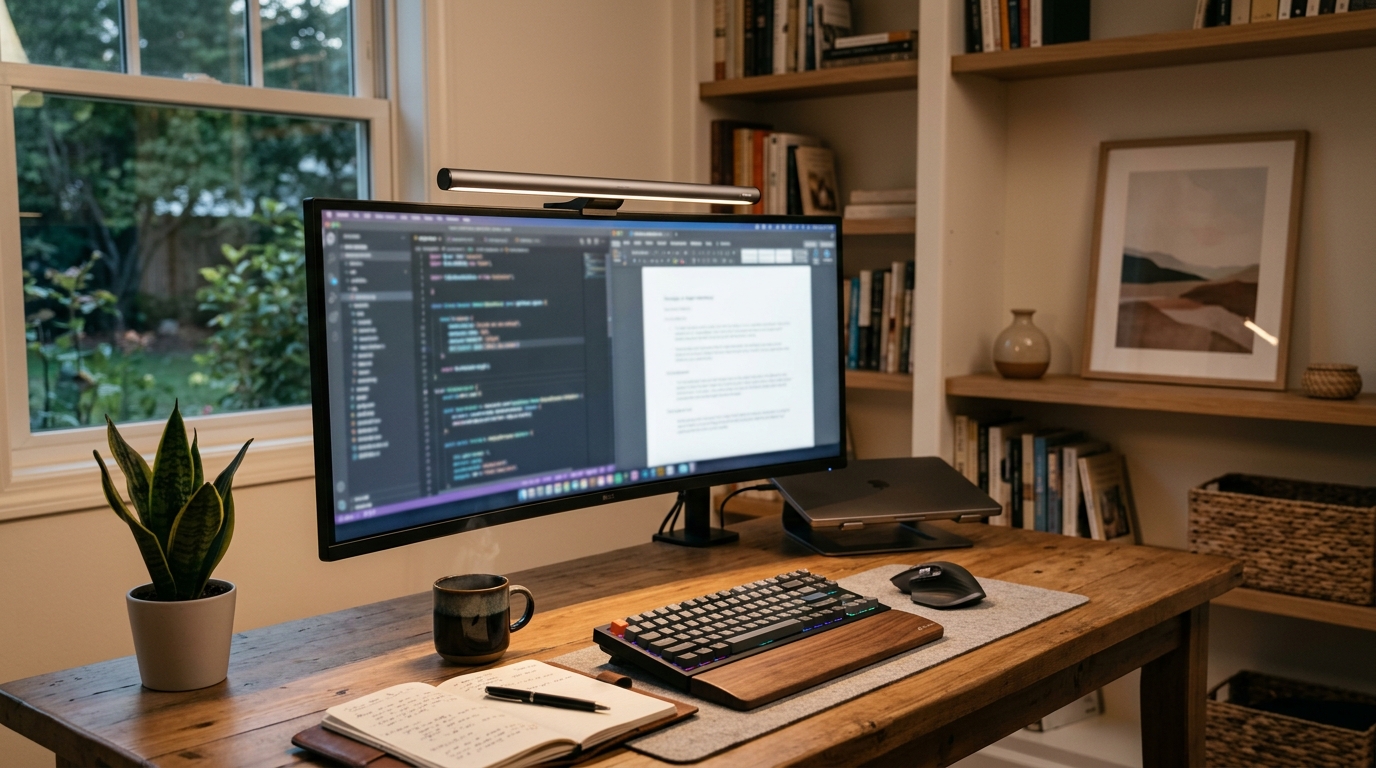
The best monitor light for most home office workers is the BenQ ScreenBar Plus ($109), a monitor-mounted LED bar with an external dial controller that delivers asymmetric downward lighting — illuminating your desk and keyboard without a single photon bouncing back into your screen. If budget is the main concern, the Quntis Computer Monitor Light Bar ($30) achieves 90% of the glare-free benefit at a fraction of the price.
A dedicated monitor light solves a problem that standard desk lamps and overhead fixtures create: reflections. Any light source positioned in front of, above, or to the side of a monitor surface creates a bright zone that appears directly in your field of vision alongside screen content. The brightness contrast between the screen and its immediate surround also causes the pupils to work constantly — narrowing for the bright screen, widening for the dark surround — which generates a dull exhausted feeling that builds over a multi-hour session. A monitor-mounted LED bar solves both issues: it sits above the screen angled downward toward the desk, creating no reflection, and its glow on the desk surface reduces the contrast between the lit screen and the surrounding room.
Why standard desk lamps create glare and monitor lights do not
Conventional desk lamps sit to the side of or in front of your monitor. The bulb is at roughly screen level. Light from that position hits the screen surface at an angle that produces a specular reflection — a visible bright zone — that overlaps your screen content. The reflection shifts as you move your head, meaning there is no correct lamp position that eliminates it.
Monitor-mounted light bars avoid this entirely by mounting above the screen on the top bezel edge and directing light downward at a steep angle toward the desk. The geometry ensures that light from the bar never reaches the screen surface at a reflection-producing angle. The result is a well-lit keyboard and document area with zero screen glare — regardless of room light conditions.
That is the core design insight, and it explains why any monitor-mounted bar with proper asymmetric optics outperforms any side-mounted desk lamp for workstation use.
What to look for in a monitor light
Asymmetric optical design. The light output should be directional — aimed toward the desk, not omnidirectional. Bars with cheap diffusers emit light in all directions including toward the screen. Look for products that specifically describe asymmetric or anti-glare optics; BenQ and Baseus both publish their optical spread diagrams.
Color temperature range. A range of 2700K–6500K covers warm evening, neutral daytime work, and cool focused-task modes. Fixed 6500K is too harsh for extended sessions. Fixed 3000K is too warm for accurate color work. Most quality bars offer 3000K–6500K with step or stepless adjustment.
Brightness control. Look for at least five brightness levels; stepless (continuously variable) dimming is better for dialing in the exact output you need without jumping between presets.
Auto-brightness sensor. A built-in ambient light sensor that adjusts output based on room lighting is a genuine convenience feature. BenQ ScreenBar models include it; most budget bars do not.
Mount compatibility. Most bars use a universal hook that clamps over the top edge of any monitor with a flat back edge. Curved monitors sometimes have a gap between the top edge and the screen surface — check the product’s curved monitor compatibility note if your display is curved.
Power source. Nearly every bar on this list is USB-A powered (500mA–1A) from a port on your monitor, hub, or PC. Verify your monitor has a USB-A output, or plan to use a hub.
Quick comparison
| Product | Best for | Rating | Notes | |
|---|---|---|---|---|
| BenQ ScreenBar Plus | best overall — external dial, auto-brightness, proven optics | ★★★★★ | $99-115. External dial controller. Auto-brightness sensor. 2700K-6500K. USB-A powered. | Check price |
| BenQ ScreenBar Halo | best bias lighting — rear glow cuts room-contrast fatigue | ★★★★★ | $159-179. Rear indirect glow. Auto-brightness. 2700K-6500K. Wireless remote included. | Check price |
| Quntis Computer Monitor Light Bar | best budget — solid asymmetric optics, no smart features | ★★★★☆ | $28-35. USB-A powered. 3000K-6500K. Touch control on bar. No auto-brightness. | Check price |
| Baseus i-Wok Pro Monitor Light | best mid-range — stepless dimming, USB-C option, slim profile | ★★★★★ | $40-55. USB-C or USB-A. 2700K-6500K stepless. Touch control. Asymmetric optics. | Check price |
| Govee Smart Monitor Light Bar | best smart — RGBIC color zones, app control, Alexa compatible | ★★★★☆ | $45-60. Wi-Fi and Bluetooth. RGBIC zones. Alexa and Google compatible. USB-A powered. | Check price |
The picks
Best overall: BenQ ScreenBar Plus
Best for home office workers who want the most effortless daily experience with an external dial, auto-brightness, and proven optical quality
BenQ ScreenBar Plus Monitor Light Bar with Dial Controller
BenQ invented the monitor-mounted light bar category and the ScreenBar Plus is their flagship. The defining feature is the external dial controller — a hockey-puck-sized disc that sits on your desk and adjusts brightness and color temperature without reaching up to the bar. The built-in ambient light sensor adjusts output automatically as room lighting changes through the day, so a morning sun blast and an overcast afternoon both produce the same comfortable working brightness without you touching anything. The optical design delivers zero measurable luminance on the screen surface. At $99–115, it costs three times the budget options, but the dial control and auto-brightness sensor make it the correct choice for anyone at the desk eight hours a day.
★★★★★ 4.7 · 22,400 reviews
Check current price on Amazon→Pros
- External dial controller adjusts brightness and color temperature without reaching up to the bar
- Built-in ambient light sensor auto-adjusts to room lighting changes throughout the day
- 2700K to 6500K color temperature range covers warm evening to cool focused-work modes
- Asymmetric optics produce zero measurable glare on the screen surface
- USB-A powered from your monitor or hub — no separate adapter or outlet needed
- BenQ build quality: aluminum bar, solid mount, consistent output over years of daily use
Cons
- $99-115 is 3-4x the price of a functional budget bar — the dial and sensor are the premium
- External dial occupies desk space and uses a second USB-A port for the controller cable
- Mount does not fit all curved monitors — verify curved monitor compatibility before ordering
- No RGBIC color effects; this is a focused work tool, not an ambient entertainment light
Best bias lighting: BenQ ScreenBar Halo
Best for users who work in a dimmed or dark room and want rear bias lighting to reduce the contrast between screen and environment
BenQ ScreenBar Halo Monitor Light with Rear Glow
The ScreenBar Halo adds one critical feature to the ScreenBar Plus formula: a rear-facing LED strip that casts indirect light onto the wall behind the monitor. This is bias lighting — adding a low-level glow behind the screen to reduce the contrast ratio between your bright display and the surrounding dark room. When the room around a lit screen is near-black, your pupils constantly adapt between screen brightness and surrounding darkness, creating sustained fatigue. A moderate rear glow brings ambient luminance up toward screen luminance, reducing that adaptation demand. The rear strip runs 2700K–6500K independently of the front bar, so a warm rear glow and a neutral front working light operate simultaneously. At $159–179, it costs $60 more than the ScreenBar Plus — worth it if you regularly work in dim or dark rooms.
★★★★★ 4.6 · 8,900 reviews
Check current price on Amazon→Pros
- Rear-facing LED strip adds bias lighting behind the monitor to reduce room-contrast fatigue
- Front and rear brightness and color temperature are independently adjustable
- Wireless remote control included — no cable between controller and bar
- Auto-brightness sensor on the front bar matches the ScreenBar Plus feature set
- Reduces the specific eye fatigue caused by high contrast between a bright screen and a dark room
Cons
- $159-179 is a significant spend; the bias lighting benefit is real but subtle for most users
- Rear glow requires a wall within 12-20 inches of the monitor back; wall-mount setups see less effect
- Heavier than other ScreenBar models — verify your monitor top edge supports the added weight
- Wireless remote requires periodic charging via micro-USB
Best budget: Quntis Computer Monitor Light Bar
Best for users who want asymmetric glare-free monitor lighting without smart features or an external controller, under $35
Quntis Computer Monitor Light Bar LED Lamp
The Quntis monitor light bar is the clearest value pick in this category. At $28–35, it delivers the core benefit — asymmetric downward lighting with no screen reflection — using a diffuser that keeps light off the screen surface. Touch controls on the bar cycle through three color temperatures (3000K, 4000K, 6500K) and five brightness levels. There is no auto-brightness sensor, no external controller, and no wireless connectivity. What there is: a working light bar that solves the glare problem and illuminates your keyboard at essentially zero financial risk. If you are uncertain whether a monitor-mounted light bar will improve your workday, buy the Quntis first. If you find yourself reaching for the controls constantly, upgrade to the ScreenBar Plus. Most people stay with the Quntis.
★★★★☆ 4.4 · 31,200 reviews
Check current price on Amazon→Pros
- Under $35 — the most accessible entry point for asymmetric monitor lighting
- Asymmetric diffuser produces zero screen reflection on standard flat monitors
- 3 color temperatures (3000K, 4000K, 6500K) and 5 brightness levels cover daily use cases
- USB-A powered — plugs into your monitor or hub, no extra adapter needed
- Lightweight mount works on monitors from 21 to 32 inches with standard flat top bezels
- Over 30K reviews confirm consistent real-world performance across a wide range of monitors
Cons
- Touch control is on the bar itself — you reach up to the top of the monitor to adjust it
- No auto-brightness sensor; output does not adapt to changing room light automatically
- Only 3 color temperature presets rather than stepless adjustment
- No rear bias lighting option or RGBIC color modes
- Build quality is functional but noticeably below BenQ; the plastic mount feels lightweight
Best mid-range: Baseus i-Wok Pro Monitor Light
Best for users who want stepless dimming and USB-C power input in a slim bar at a mid-range price point
Baseus i-Wok Pro Monitor Light Bar
Baseus has positioned the i-Wok Pro as the thoughtful middle ground between the Quntis and the BenQ ScreenBar Plus. The key differentiators are stepless dimming (continuously variable brightness, not five fixed presets), a USB-C power input option alongside USB-A, and a slimmer bar profile that looks proportional above wider monitors. Color temperature is also stepless across 2700K–6500K, so you get infinite warmth-to-cool adjustment rather than three preset jumps. The mount clamps with better tension than the Quntis. At $40–55, it costs about $15 more than the Quntis for the stepless controls and USB-C compatibility — worth it if you share the desk with someone with different brightness preferences, or if your monitor outputs USB-C but not USB-A.
★★★★★ 4.5 · 14,600 reviews
Check current price on Amazon→Pros
- Stepless dimming — infinitely variable brightness rather than 5 fixed preset levels
- Stepless color temperature adjustment from 2700K to 6500K
- USB-C and USB-A input options cover a wider range of monitor port configurations
- Slim bar profile looks proportional above monitors from 24 to 34 inches
- Asymmetric optics produce glare-free desk lighting comparable to BenQ at a lower price
Cons
- Touch controls are on the bar itself — no external dial or wireless controller
- No ambient light sensor for automatic brightness adjustment
- $40-55 pricing overlaps with older BenQ ScreenBar models during sales periods
- Not ideal for curved monitors wider than 34 inches; mount tension may be insufficient
Best smart: Govee Smart Monitor Light Bar
Best for users who want app control, RGBIC color zones, and Alexa or Google Home integration for a desk used for both work and entertainment
Govee Smart Monitor Light Bar RGBIC
The Govee Smart Monitor Light Bar is the outlier in this list — it is not primarily a work-ergonomics tool but a smart-home ambient lighting bar that also functions as an asymmetric monitor light. RGBIC technology lets individual color zones along the bar be set to different colors simultaneously, enabling anything from full neutral-white working mode to gradient color scenes for gaming or media sessions. App control via the Govee Home app allows scene selection, scheduling, and music sync. Alexa and Google Home compatibility adds voice control. For a dedicated work light, the Quntis or BenQ is the more ergonomically correct tool — but if you use your desk for both work and gaming or entertainment, the Govee covers both modes without additional hardware.
★★★★☆ 4.3 · 9,800 reviews
Check current price on Amazon→Pros
- RGBIC color zones allow individual segment color control — neutral white for work or color scenes for gaming
- App control via Govee Home for scene selection, scheduling, and music sync
- Alexa and Google Home compatible for voice brightness and color control
- Works as a standard white work light or as an ambient entertainment bar — one bar, two use cases
- USB-A powered from monitor or hub; same hook-mount system as other bars in this list
Cons
- App dependency: full functionality requires the Govee Home app and Wi-Fi or Bluetooth pairing
- RGBIC color mode can produce light scatter that reflects off the screen on gloss-coated monitors
- White mode color accuracy is not as consistent as BenQ or Baseus for color-critical work
- No auto-brightness sensor; no external physical dial for quick tactile adjustment
- Govee ecosystem is unnecessary overhead if all you want is a simple glare-free work light
What to skip
Ring lights positioned near your monitor. Ring lights are designed for portrait and video-call lighting, not general desk illumination. They emit omnidirectional light from a point source that produces screen reflections whenever the ring is at or near screen level. They also create uncomfortably high contrast between the lit zone directly in front of the camera and everything else in the room.
Clip-on desk lamps mounted on the monitor’s side bezel. A lamp clamped to the monitor side sits in peripheral vision (distracting) and creates lateral screen glare. The side-mount geometry actually produces worse reflection angles than a desk lamp positioned behind the monitor.
Generic bars under $20 claiming “anti-glare” without optical specs. The term is used loosely. What matters is whether the bar uses a true asymmetric diffuser that physically prevents light from reaching screen-reflection angles. Bars that cannot show an optical spread diagram or do not describe asymmetric downward-direction design may still produce glare regardless of the marketing label. Every bar in this list has a documented asymmetric optical design.
FAQ
Frequently asked questions
Does a monitor light actually reduce eye strain?
What color temperature should I set for my monitor light?
Can I use a monitor light with a curved monitor?
What is bias lighting and do I need it?
Do I need a USB hub if my monitor has no USB-A output?
How is a monitor light different from a desk lamp?
Bottom line
Best overall: BenQ ScreenBar Plus at $99–115 for the external dial controller and auto-brightness sensor. Best bias lighting: BenQ ScreenBar Halo at $159–179 if you work in a dark room and want rear glow to cut contrast fatigue. Best budget: Quntis Computer Monitor Light Bar at $28–35 for the core glare-free benefit with no extras. Best mid-range: Baseus i-Wok Pro at $40–55 for stepless dimming and USB-C flexibility. Best smart: Govee Smart Monitor Light Bar if you use your desk for entertainment as well as work and want RGBIC color and app control.
Skip side-mounted desk lamps, ring lights, and generic bars without documented asymmetric optics — none reliably eliminate screen glare.
Round out the setup: desk lamps for general room lighting, monitor height guide to position your screen correctly, how to reduce eye strain at computer for the full eye-health protocol, and best office lighting for whole-room recommendations.