roundups
Best Laptop Stands for Bed in 2026
Top laptop stands and lap desks for in-bed use — cushioned platforms, adjustable overbed trays, and portable picks for comfortable computing.
 Daniel Osei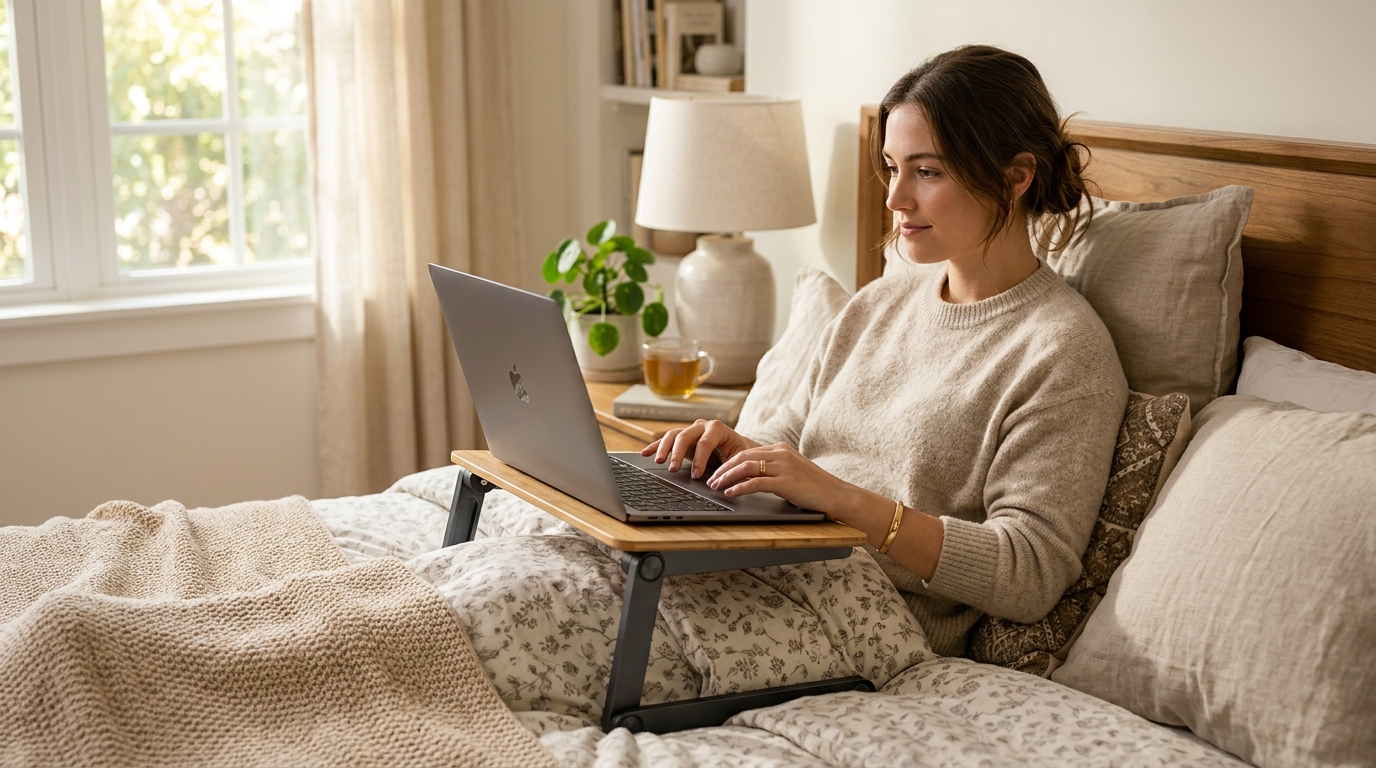
For in-bed laptop use, the LapGear Home Office Lap Desk is the top pick — its firm platform, built-in wrist rest, and phone slot give you a stable, heat-free work surface without the laptop sitting directly on your lap or legs. For adjustable-angle work or lying down use, a C-shaped overbed desk stand with a tilting surface is the better tool. Both categories are real products solving distinct in-bed computing postures.
Which type do you need?
Two fundamentally different products share this keyword — matching the type to your posture is the only decision that matters:
Cushioned lap desk (platform style): A rigid flat surface on a cushioned bean-bag base. You sit upright in bed (back against a headboard or pillows), set the desk on your lap, and the laptop rests on the platform. This is the largest category and the right pick for most people. Drawbacks: only works while seated upright; the cushion compresses and tilts over a long session.
C-shaped or gooseneck overbed stand: A heavy-base stand with a C-profile leg that slides under the mattress or sits beside it, with an arm extending over the bed surface. The laptop rests on a platform at the end of the arm, which you position at any height and angle — including flat over your chest if you are lying down. Much more flexible than a lap desk; takes more space, costs more, and requires a flat floor beside the bed.
If you sit upright to work, get a lap desk. If you want to work lying down or reclined, get a C-shaped stand.
Quick comparison
| Product | Best for | Rating | Notes | |
|---|---|---|---|---|
| LapGear Home Office Lap Desk | best overall for upright in-bed use | ★★★★★ | Firm surface, wrist rest, mouse pad area, phone slot. Multiple sizes. | Check price |
| Adjustable C-shape overbed laptop desk | lying-down or reclined use | ★★★★☆ | Slides under mattress or sits beside bed. Height and tilt adjustable. | Check price |
| SAIJI Lap Desk with dual mouse pad | left- and right-hand mousing in bed | ★★★★★ | Dual extended mouse pad surface, LED light strip, phone holder. | Check price |
| Foldable laptop bed tray with legs | budget option for occasional use | ★★★★☆ | Wood or bamboo surface, fold-flat legs. No cushion; works on a firm mattress. | Check price |
| MOFT Snap Laptop Stand | minimalist portable option for occasional bed use | ★★★★★ | Ultra-thin aluminum, folds flat into bag. Not cushioned; needs a firm surface. | Check price |
The picks
Best overall — LapGear Home Office Lap Desk
Best for anyone who sits upright in bed to work, watch, or browse
LapGear Home Office Lap Desk
LapGear is the most-reviewed lap desk brand on Amazon for good reason — the Home Office model threads the needle between a firm, stable platform and a comfortable cushioned base. The surface is large enough for a 17-inch laptop with room for a mouse, the built-in wrist rest drops forearm tension during long typing sessions, and the phone slot keeps your device within reach without it sliding onto the mattress. The cushion base is denser than competitors at this price point, which means it compresses less over a two-hour session. Available in three sizes: S (up to 15-inch laptop), M (up to 15 inches with extended mouse area), and XL (17-inch laptops). Get the size that matches your laptop — the XL is worth it for 15-16 inch machines because the extra mouse surface changes how comfortable mousing in bed actually feels.
★★★★★ 4.6 · 28,000 reviews
Check current price on Amazon→Pros
- Dense cushion base compresses less than foam competitors over long sessions
- Built-in wrist rest reduces forearm fatigue during extended typing
- Phone slot holds phone upright without blocking the laptop screen
- Raised lip along the front edge prevents the laptop from sliding forward
- Multiple color options; wipe-clean surface
Cons
- Not useful while lying down — designed only for upright seated posture
- The cushion does shift slightly on silky mattress covers
- No angle adjustment — the surface is flat (a slight rearward tilt would help reduce screen glare)
Best for lying-down or reclined use — C-shape adjustable overbed stand
Best for users who want to work lying flat, reclined, or in a position where a lap desk won't stay stable
Adjustable C-Base Overbed Laptop Desk Stand
The C-shaped overbed stand is the only product category that lets you position a laptop screen above you while lying down — which is what you need for reading, video calls from bed after surgery or illness, or just working in a fully reclined position. The C-base slides under the mattress (or sits flat on the floor beside the bed on models with a free-standing weighted base), and a vertical pole brings an arm over the sleeping surface. The arm articulates in height and angle; the platform at the end tilts to face you at any recline angle. Look for models with a weighted or non-slip base, a tilting surface rated for your laptop size and weight (most handle up to 17 inches and 22 lbs), and a quick-lock mechanism on the height column so it doesn't slowly drift down under the laptop's weight. Brands to search: Beenle, Nifty, Suptek.
★★★★☆ 4.4 · 3,800 reviews
Check current price on Amazon→Pros
- Only type of laptop stand that works while lying flat or reclined
- Height and tilt adjustable to any posture
- Keeps laptop completely off your body — no heat transfer, no weight on legs
- Works as a bedside reading or tablet stand when the laptop is elsewhere
Cons
- Larger footprint than a lap desk — needs floor space beside the bed
- Quality varies widely by brand; inspect locking mechanisms carefully
- The pole height column can slip under sustained load on lower-end models — check reviews
- Costs 2-3x more than a lap desk for comparable build quality
Best dual mouse surface — SAIJI Lap Desk
Best for left-handed users and anyone who wants the largest possible mousing surface in bed
SAIJI Lap Desk with Dual Mouse Pad and LED Light
The SAIJI lap desk extends the mouse pad surface on both sides of the laptop platform — a genuinely useful design if you switch hands, use a trackball, or just want a large flat surface to work from in bed without the mouse falling off the edge. The built-in LED strip under the front edge provides ambient lighting useful for video calls in a dim room, though it draws USB power. The phone holder is higher-profile than LapGear's, which keeps the phone screen more visible at a distance. The cushion base is comparable density to LapGear; the overall platform is slightly larger, which makes it better for 15-17 inch laptops but more cumbersome for smaller ones.
★★★★★ 4.5 · 11,000 reviews
Check current price on Amazon→Pros
- Dual mouse pad surface on both sides — ambidextrous and spacious
- LED light strip useful for video calls in low-light bedrooms
- Phone holder is taller and holds the phone more visible at a distance
- Large platform handles 17-inch laptops comfortably
Cons
- LED strip requires USB power from the laptop — minor but worth knowing
- Larger overall footprint than LapGear models — can feel too big for smaller frames
- Cushion base has slightly less structural support on the sides vs center
Best budget — foldable laptop bed tray with legs
Best for occasional use on a firm mattress; anyone who doesn't want a cushioned base
Foldable Laptop Bed Tray Table with Folding Legs
If you use a laptop in bed occasionally — not daily — a foldable bamboo or wood bed tray is a simple, affordable, and stable option. The fold-flat legs (typically with a center crossbar for stability) prop the tray 8-10 inches above the mattress surface, and the flat rigid surface is better for mousing than the slightly soft surface of a cushioned lap desk. The catch: the legs assume a firm, flat surface. They dig into soft mattresses or toppers and wobble. On a firm mattress or with a board under the legs, they're solid. Available from many brands (Bambüsi, Pipishell, Bed Bath brands) in wood, bamboo, and painted MDF.
★★★★☆ 4.3 · 9,200 reviews
Check current price on Amazon→Pros
- Flat, firm surface — better for mousing than cushioned lap desks
- Folds completely flat for storage under the bed or in a closet
- Much less expensive than cushioned lap desks or C-stands
- No cushion to compress or lose shape over time
Cons
- Legs dig into soft mattresses and toppers — works only on firm surfaces
- No cushion or wrist rest — less comfortable for long typing sessions
- Fixed height, no tilt adjustment
What to skip
Pillow-style laptop “cooler” cushions: These are sold as both comfort products and cooling accessories, but the foam is soft enough that the laptop sinks in and the bottom vents are partially blocked. Counterproductive — skip.
Generic plastic laptop trays with a single hinge: The hinge mechanism on cheap plastic trays strips out quickly, and the surface wobbles from day one. The price difference vs a quality lap desk is not worth the frustration.
Laptop arms designed for desks: A monitor arm mounted to a desk clamp can swing over a nearby bed, but the arm is designed for a fixed desk surface, not a mattress edge. The geometry is wrong and the clamp can damage bed frames.
Neck and posture: what nobody tells you
The real ergonomic enemy of in-bed laptop use is not heat — it is the neck position forced by the screen height. A laptop resting in your lap or on a flat surface positions the screen 12-15 inches below your natural rested eye line. You drop your chin to look at it. At 30-45 degrees of neck flexion, the effective weight on your cervical spine increases 3-4x. After 30 minutes, this becomes fatigue; after months of daily use, it becomes chronic strain.
The mitigation strategy for in-bed use:
- Use the highest-profile tray or stand that stays stable — a taller tray platform or a C-stand set at maximum height puts the screen closer to eye level even in a reclined posture.
- Add an external keyboard and put it in your lap — this lets you raise the laptop screen higher (because you’re no longer reaching up to type), which dramatically reduces neck drop angle.
- Limit fully-supine (flat on your back) laptop sessions to reading and video, not long typing sessions. The neck-flexion math for typing while lying flat is unavoidable regardless of stand choice.
The LapGear Home Office Lap Desk with a wireless keyboard in the lap and the laptop propped on the tray is the best you can realistically do for ergonomics in an upright in-bed posture.
Heat and ventilation — the practical risk
A laptop placed directly on a mattress, blanket, or a soft lap desk has its bottom vents partially or fully blocked. The laptop runs hot, the fan spins up, and if the thermal load is sustained — video editing, streaming + video call, sustained compilation — the CPU and GPU throttle within 15-20 minutes, meaning measurably slower performance.
Any rigid platform — a lap desk surface, a bed tray, a C-stand platform — solves this. The laptop lifts off the soft surface, the vents operate normally, and heat dissipates. This is another reason to avoid the soft pillow-cushion style products.
FAQ
Frequently asked questions
What is the best laptop stand for using a laptop in bed?
Are lap desks bad for laptops?
Can I use a laptop in bed without damaging my neck?
What size lap desk do I need for a 15-inch laptop?
Do C-shaped overbed stands work on all bed sizes?
Bottom line
For the majority of people who work or watch from bed sitting upright, the LapGear Home Office Lap Desk is the right tool — firm surface, wrist rest, phone slot, and a dense cushion base that holds its shape over a multi-hour session. If you want to work lying down, no lap desk does that job; get a C-shaped adjustable overbed stand instead.
Whatever you choose, prioritize a rigid platform surface over soft foam, pair with a wireless keyboard when sessions run long, and remember that the biggest ergonomic gain is raising the screen as high as the stand allows.
For more on the full laptop ergonomics picture, see our guide to choosing a laptop stand and the full best laptop stands roundup. If in-bed computing is part of a broader remote or work-from-home setup, the best lap desks for ergonomics and fan stand for laptop cooling are both worth a read.