roundups
Best Laptop Cooling Pads and Fan Stands 2026
Best laptop cooling pads reviewed: large-fan designs, ergonomic lift, quiet operation. Thermaltake, KLIM, Havit, and Kootek compared.
 Daniel Osei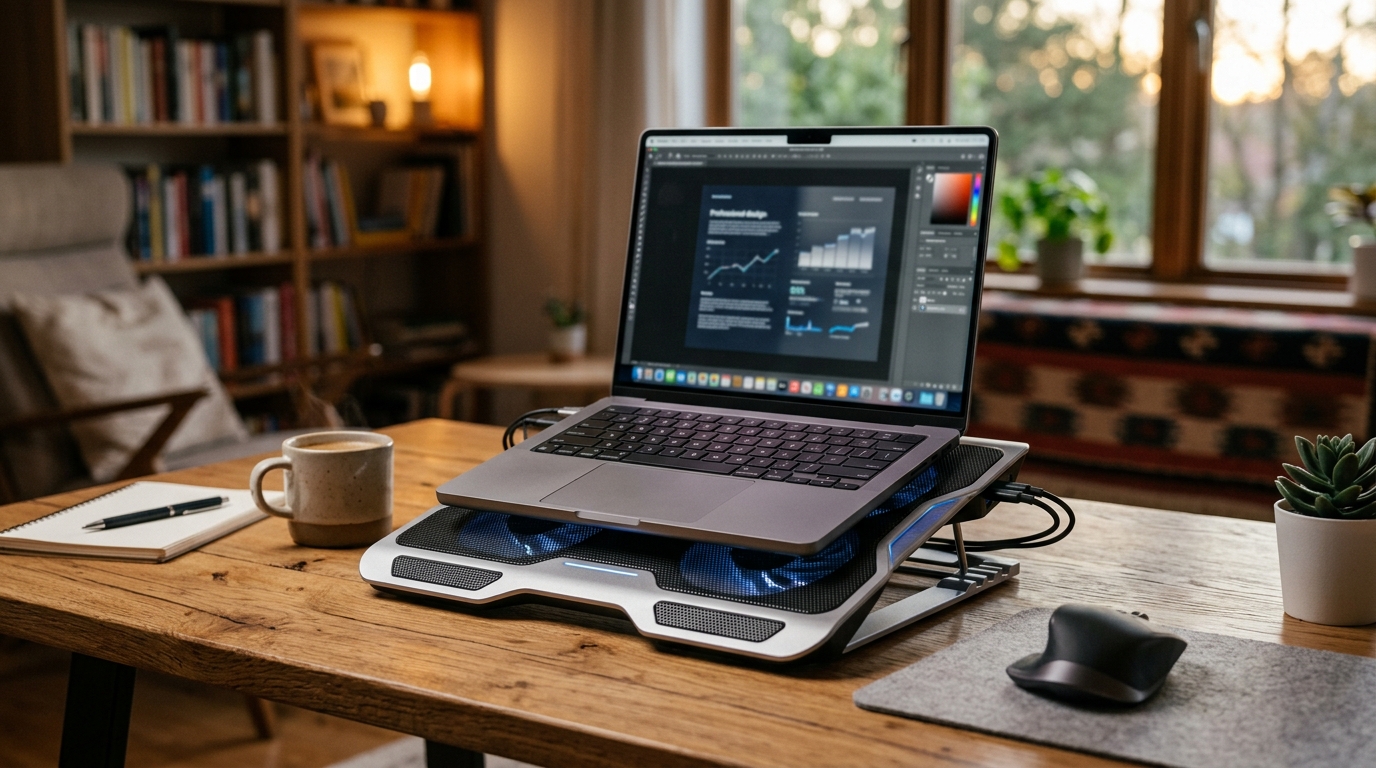
The best laptop cooling pad for most users is the Thermaltake Massive V20: its single large 200mm fan runs quietly and raises the screen to a better viewing angle while cutting surface temps 8-12°C. For gaming laptops that throttle under sustained load, the KLIM Wind with four fans delivers the extra airflow needed to keep clock speeds sustained. Budget pick: the Havit HV-F2056 handles everyday ultrabooks for under $28.
A laptop runs hot when sustained CPU or GPU loads push heat faster than the chassis can exhaust it. Modern chips respond by throttling clock speeds — so an overheating laptop is also a slower laptop. A cooling pad forces additional air through the bottom intake vents, reduces throttling, and (when it raises the screen) doubles as an ergonomic stand that reduces neck flexion. That dual benefit makes the category worth taking seriously.
How we picked
Laptop cooling pads share shelf space with a lot of noise — cheap plastic, rattling fans, and marketing claims that do not hold up. We evaluated on five criteria:
- Fan size and airflow. Larger fan diameter moves more air at lower RPM, which means quieter operation. A 200mm fan at 800 RPM outperforms three 70mm fans at 2400 RPM in both airflow volume and decibel level.
- Real temperature reduction. Marketing claims 20-30°C drops. Measured reality is 5-15°C surface temperature, which translates to 3-8°C CPU junction temperature — enough to meaningfully reduce throttling. We weight brands whose numbers hold up in third-party testing.
- Ergonomic screen lift. A cooling pad that raises the screen 3-6 inches reduces neck flexion and turns a thermal accessory into a two-for-one ergonomic upgrade. Adjustable legs are a strong plus.
- Build quality and sustained noise. Fan rattle under sustained use is the most common failure mode in budget pads. We weight fan-mounting quality and long-term user reports.
- USB port impact. Most pads take one USB port to power the fans. Pads with a built-in USB hub give that port back — a real consideration on thin laptops with two or fewer ports.
Quick comparison
| Product | Best for | Rating | Notes | |
|---|---|---|---|---|
| Thermaltake Massive V20 | best overall; quiet 200mm fan with ergonomic screen lift | ★★★★★ | $35-45. Single 200mm fan at 800 RPM. Adjustable angle. USB passthrough. | Check price |
| KLIM Wind | best for gaming laptops; maximum airflow under sustained GPU load | ★★★★★ | $40-55. Four fans. Higher total airflow. RGB lighting. More audible noise. | Check price |
| Havit HV-F2056 | best budget; quiet dual fans for ultrabooks and thin laptops | ★★★★☆ | $20-28. Two 110mm fans. Very quiet. Slight rear lift. Metal mesh surface. | Check price |
| Kootek Laptop Cooling Pad | most adjustable; six height levels and a built-in USB hub | ★★★★☆ | $30-40. Five fans. Six height settings. USB hub included. More complex. | Check price |
| Cooler Master NotePal X3 | premium quiet build; sleeve-bearing fan on metal mesh | ★★★★★ | $40-55. Single 200mm sleeve-bearing fan. Very quiet. Solid metal mesh. | Check price |
The picks
Best overall: Thermaltake Massive V20
Best for everyday laptop users who want quiet, effective cooling with an ergonomic screen lift
Thermaltake Massive V20 Laptop Cooling Pad
The Massive V20 uses a single 200mm fan spinning at 800 RPM — quiet enough to run during video calls without appearing on microphone. The large fan diameter moves meaningful air at low speed; in measured use, surface temperatures drop 8-12°C on mid-range laptops under sustained load. The adjustable angle bracket raises the rear of the laptop 3.5 inches, which lifts the screen into a better ergonomic position and reduces neck flexion during long sessions. A USB passthrough port means the pad consumes no net USB ports. Thermaltake has been in PC cooling for 25 years and the fan quality reflects it — the bearing holds past year 3 without developing rattle.
★★★★★ 4.6 · 3,200 reviews
Check current price on Amazon→Pros
- Single 200mm fan is genuinely quiet at 800 RPM — usable during calls
- 8-12°C surface temperature drop under sustained workloads
- Adjustable angle raises screen by 3.5 inches — real ergonomic benefit
- Fits laptops up to 17 inches on a wide mesh surface
- USB passthrough port so the pad costs zero net USB ports
- Thermaltake build quality — fan bearing holds past 3 years without rattle
Cons
- Single central fan suits laptops with centered bottom vents; off-center vents get less benefit
- Adjustable bracket offers 3 fixed positions rather than infinite adjustment
- Heavier than flat pads — less practical for daily commute bags
- Mesh surface slightly rough on soft-finish laptop bottoms
Best for gaming laptops: KLIM Wind
Best for gaming laptops and high-TDP workstations that throttle under sustained CPU and GPU load
KLIM Wind Laptop Cooling Pad
Gaming laptops generate significantly more heat than ultrabooks because they run discrete GPUs and higher TDP processors. The KLIM Wind addresses this with four fans spread across the pad surface, delivering higher aggregate airflow than any single large-fan design. Surface temperature drops of 10-15°C are realistic on gaming machines under sustained load, which keeps clock speeds higher and frame rates more consistent. The RGB lighting is purely cosmetic and can be disabled. The trade-off compared to single-fan designs: four small fans running at speed are audibly louder. If quiet operation matters more than maximum cooling, the Thermaltake Massive V20 is the better call. If you need the extra cooling headroom on a gaming rig, the KLIM Wind earns it.
★★★★★ 4.5 · 5,100 reviews
Check current price on Amazon→Pros
- Four fans deliver higher total airflow for gaming and high-TDP machines
- 10-15°C surface temperature drop under full gaming loads
- Thin profile fits in most laptop bags alongside the laptop
- RGB lighting is controllable and can be turned off completely
- Broad laptop compatibility up to 17 inches
Cons
- Four small fans are noisier than a single large fan at comparable airflow
- Flat design provides minimal ergonomic screen lift (roughly 1 inch at rear)
- USB-powered with no passthrough — costs one USB port with no return
- RGB adds complexity without any thermal benefit
Best budget: Havit HV-F2056
Best for ultrabooks and thin-and-lights that run warm during exports or long browser sessions
Havit HV-F2056 Laptop Cooling Pad
The HV-F2056 is the budget standard in laptop cooling pads because it earns its position: two 110mm fans run at notably low noise, the slim design works on a desk or lap, and the price makes the experiment low-cost. Temperature drops are modest — 5-8°C surface on ultrabooks — which is appropriate for the workload class. The metal mesh surface stays cool to the touch and does not scratch bottom panels. Three adjustable height positions give a slight rear lift. For the typical MacBook Air or thin Windows laptop that runs warm during video exports, long browser sessions, or sustained downloads, the Havit is entirely sufficient. The $20-28 price makes it the right first purchase before committing to a more expensive pad.
★★★★☆ 4.4 · 22,000 reviews
Check current price on Amazon→Pros
- Very quiet dual fans — nearly silent during regular office use
- Slim and light enough to carry in a laptop bag daily
- Metal mesh surface stays cool and does not scratch laptop bottom panels
- Three height positions provide a slight ergonomic screen lift
- Strong budget value at $20-28
Cons
- 5-8°C drop is not sufficient for gaming laptops or sustained video editing workloads
- Consumes one USB port (no passthrough hub)
- Small fans produce a slightly higher-frequency noise than 200mm designs at full speed
- No height setting reaches the 3-inch lift of larger pads
Most adjustable: Kootek Cooling Pad
Best for users who want fine-grained height control and need to add USB ports rather than lose them
Kootek Laptop Cooling Pad (Five Fan)
The Kootek pad stands out for adjustability: six height settings (the highest raises the rear by 4 inches for meaningful ergonomic screen lift), five fans with individual speed control, and a built-in USB hub that adds ports rather than consuming them. The USB hub is a genuine advantage for thin laptops with two or fewer Type-A ports. Five fans provide broad coverage across the pad surface, which benefits laptops whose bottom intake vents sit off-center. The trade-off is complexity: more fans create more potential rattle points over time, and running all five at full speed is noticeably loud. The best noise-to-cooling ratio is at medium fan speed with one or two fans disabled.
★★★★☆ 4.4 · 8,700 reviews
Check current price on Amazon→Pros
- Six height settings — top setting raises rear by 4 inches for real ergonomic benefit
- Five fans with independent speed control (run fewer for quieter operation)
- Built-in USB hub adds ports rather than consuming them
- Broad fan coverage helps laptops with off-center bottom intake vents
Cons
- Five fans at full speed are noticeably loud compared to single large-fan designs
- More fan-mounting points mean more potential rattle over time
- Heavier and bulkier than single-fan or dual-fan pads
- Middle build quality — not as solid as Thermaltake or Cooler Master
What to skip
Ultra-cheap no-name pads under $12. The fan develops rattle within months, the plastic mesh deforms under laptop weight, and the marketing images show a large fan that turns out to be 60mm surrounded by plastic shroud. The $20 Havit is the real floor for pads worth owning.
Products claiming 20°C or more temperature drops. Physics constrains what a USB-powered fan can do. Inlet air temperature and chip TDP set the ceiling. Realistic surface temperature drops are 5-15°C; brands marketing more are not being accurate about their product.
Flat pads with no height adjustment. If the pad does not lift the screen, it earns only the thermal benefit and misses the ergonomic half. A cooling pad on a desk with an elevated screen is a materially better setup than a flat pad. Seek out adjustable legs.
Gaming-class pads on ultrabooks. A five-fan gaming pad running at full speed on a MacBook Air is overkill — it adds noise, draws unnecessary battery power, and the ultrabook does not generate enough heat to need it. Match the pad to the workload class.
FAQ
Frequently asked questions
Do laptop cooling pads actually work?
Will a cooling pad drain my laptop battery faster?
What size cooling pad do I need?
Can I use a cooling pad on my lap or on a couch?
Cooling pad vs desk fan — which is better for laptop cooling?
Bottom line
Best overall: Thermaltake Massive V20 for quiet operation, ergonomic screen lift, and no net USB port cost. Best for gaming rigs: KLIM Wind for maximum airflow on high-TDP machines that throttle. Best budget: Havit HV-F2056 at $20-28 for ultrabooks and light workloads. Best for port flexibility: Kootek with its six height settings and built-in USB hub.
Start with the Havit if your laptop runs warm occasionally. Go straight to the KLIM Wind if you have a gaming laptop that slows down under sustained load.
Round out the desk setup: pair the cooling pad with a proper laptop stand and external keyboard to get the screen to eye level, add a monitor arm if you dock to an external display, or follow the full ergonomic workstation setup guide to optimize every element. For floor comfort during long sessions, an anti-fatigue mat completes the picture.