roundups
Best Monitor Stands of 2026 (Desk Risers That Actually Work)
Best monitor stands and desk risers of 2026: bamboo, adjustable, and dual-monitor picks to raise your screen to eye level on any budget.
 Daniel Osei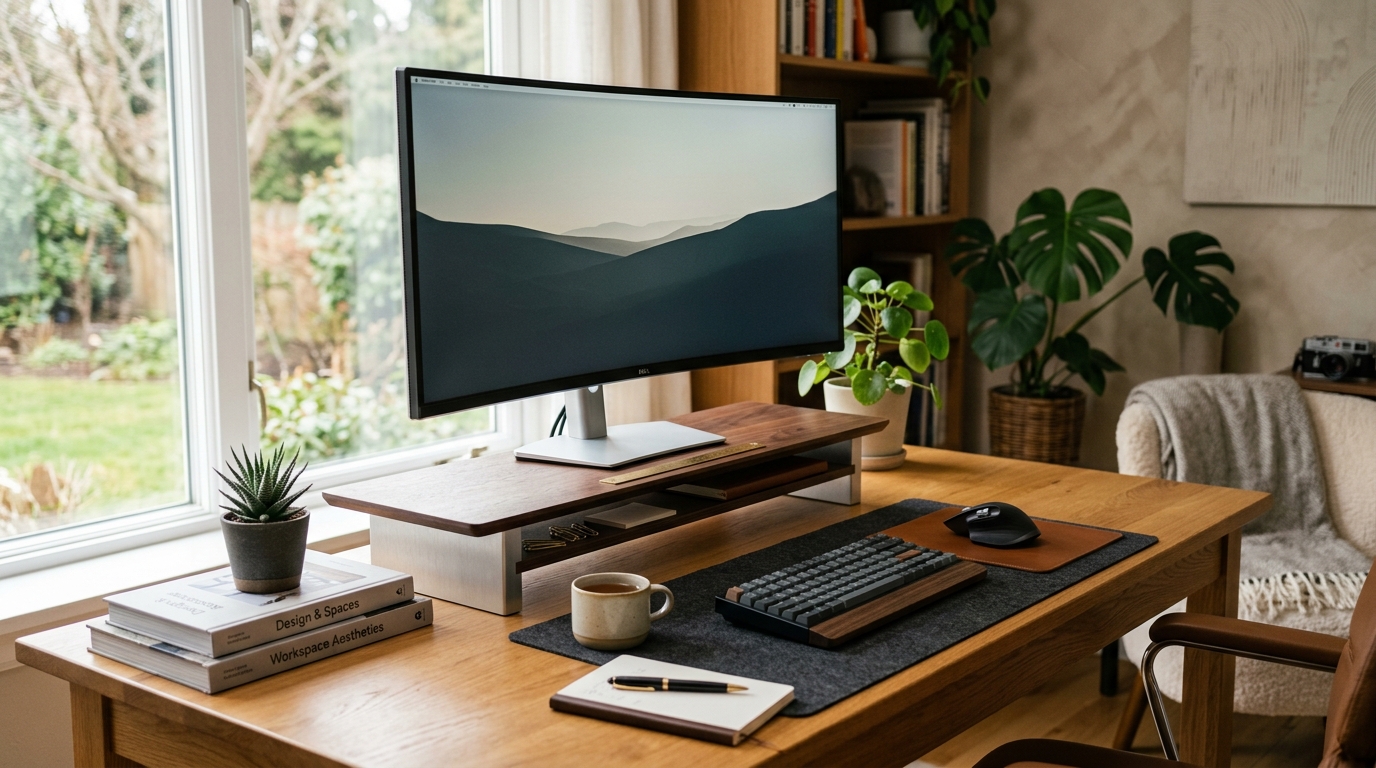
A monitor stand is the cheapest ergonomic upgrade most home-office workers aren’t using. The problem is universal: the factory stand bundled with your display sets your screen far too low. For most people, “built-in stand” means the center of the screen lands somewhere around chin level — which forces a sustained downward neck tilt that causes upper trapezius and levator scapulae strain by midday. A $35–70 riser or adjustable stand corrects this in five minutes.
Monitor stands differ from monitor arms in one important way: they sit on your desk surface and keep the monitor in a fixed (or step-adjustable) position rather than swinging on a gas-spring arm. That means they’re less flexible — you can’t swing the monitor out of the way quickly — but they’re more stable, require zero drilling or desk-edge clamping, and work on any desk without size or depth constraints. For users who don’t need to regularly reposition their screen, a stand is the right call.
The category runs from a $15 bamboo plank to $130 electric lift stands. Most of the genuinely useful range sits between $35 and $90. The picks below are chosen for stability, sufficient height adjustment range, footprint compatibility with a full keyboard setup, and build quality that lasts.
How we picked
A monitor stand has one structural job: hold your display at the correct ergonomic height without wobbling under the vibration of nearby typing. We evaluated these criteria:
- Height range and adjustability. The most common screen-to-eye-level correction needed is 3–6 inches. Fixed-height risers work only if that fixed height happens to be right for your sitting height — which is a gamble. Step-adjustable stands (typically 3–5 height positions) cover a wider range of users. Continuously adjustable stands give the most precision but cost more.
- Stability. A stand that flexes, creaks, or transmits typing vibration to the screen degrades your image clarity and adds ambient desk noise. We prioritized stands with solid bases, real joints (not thin plastic tab connectors), and a footprint wide enough to resist tipping.
- Footprint and clearance. A riser that occupies your entire desk depth pushes your keyboard off the desk. Practically, you want a stand with 6–10 inches of front clearance so your keyboard sits in front of the stand base at a comfortable depth.
- Build material. Bamboo and MDF with steel supports outlast all-plastic stands by years under typical home-office use. Plastic is fine for light monitors under 15 lbs; heavier or larger monitors expose plastic flex quickly.
- Cable management. A stand with a through-hole, cable clip, or rear channel keeps the power/video cable from hanging off the back or pulling against the monitor neck.
Quick comparison
| Product | Best for | Rating | Notes | |
|---|---|---|---|---|
| Vivo Height-Adjustable Single Monitor Riser | best overall — step-adjustable height, open bottom shelf | ★★★★★ | $45–65. 5 height settings. 19" wide platform. Holds monitors up to 32". | Check price |
| NNEWVANTE Bamboo Monitor Stand with Drawer | best bamboo — natural material, drawer storage, clean aesthetic | ★★★★★ | $35–55. Fixed height (~5"). Bamboo top. Drawer + open shelf below. | Check price |
| Ergotron Neo-Flex Lift Stand | best premium — gas-spring lift for infinite height adjustment | ★★★★★ | $100–135. Continuous 7" lift range. 28 lb capacity. Cable management integrated. | Check price |
| Vivo Wide Dual Monitor Riser (Extra Wide) | best for dual monitors — 48"+ wide platform | ★★★★☆ | $65–90. 48" wide. Step-adjustable. Supports two side-by-side displays. | Check price |
| Amazon Basics Adjustable Monitor Stand | best budget — minimal, functional, under $35 | ★★★★☆ | $25–35. 3 height settings. Plastic and steel. Adequate for monitors under 24". | Check price |
| Sub-$20 fixed-height plastic slab | nothing — only works if you get lucky on height | ★★★☆☆ | No adjustment. Plastic flexes. Likely puts screen at wrong height anyway. | Check price |
The picks
Best overall: Vivo Height-Adjustable Single Monitor Riser
Best for home office users who want step-adjustable height, open bottom storage, and proven long-term reliability
Vivo Height-Adjustable Monitor Riser Stand (Single)
Vivo has become the de-facto standard recommendation for monitor risers, and this step-adjustable model is the reason. Five height positions (ranging roughly 3–7 inches above desk level) span the correction range needed by most seated users. The open shelf below is tall enough to stow a full-size keyboard, clearing your desk surface above and below the stand for a genuinely clean setup. The 19-inch platform handles most 27–32-inch monitors with room for a small speaker or document tray alongside. At $45–65, it's neither the cheapest nor the most feature-rich option — it's just the most reliably built riser at this price.
★★★★★ 4.6 · 12,400 reviews
Check current price on Amazon→Pros
- 5 step-adjustable height positions cover the range for most seated users
- Open shelf below is tall and wide enough for a full-size keyboard
- 19" wide platform fits monitors from 21" to 32" comfortably
- Steel and MDF construction — no flex or creak under a heavy display
- Cable-routing hole at the back keeps display cables out of sight
- Ships mostly assembled; setup takes under 5 minutes
Cons
- Step-adjustable (5 presets) rather than infinitely adjustable — may not land exactly at your target height
- MDF surface shows scratches over time; Vivo ships with a thin felt pad that helps
- Doesn't rotate or tilt the monitor — that's still your monitor's built-in neck
- At 19" wide, tight for a monitor wider than 30" if you add anything alongside
Best bamboo: NNEWVANTE Bamboo Monitor Stand with Drawer
Best for users who want a natural material aesthetic, a drawer for small items, and a clean desk look on a budget
NNEWVANTE Bamboo Monitor Stand with Drawer and Open Storage
Bamboo monitor stands exist at every price point, and most of them are the same factory-grade product with different branding. NNEWVANTE is one of the few bamboo brands that consistently shows up with tight joinery, square edges, and no surface splintering in real-world reviews. The fixed height (~5 inches off desk surface) works for most users with standard 29–30-inch desk height and monitors up to 27 inches. The drawer below fits pens, sticky notes, and a charging cable; the open shelf handles a keyboard on a shallow desk. This isn't an ergonomic-first purchase — it's a desk aesthetics purchase that also happens to raise your monitor.
★★★★★ 4.5 · 8,700 reviews
Check current price on Amazon→Pros
- Natural bamboo aesthetic fits warm wood and minimalist desk setups
- Drawer below for small items (cables, pens, sticky notes) reduces desk clutter
- Solid bamboo construction — no MDF edge swelling or plastic flex
- Easy assembly: slot-and-peg construction, no tools required
- Light enough to move for cleaning without disrupting your cable setup
Cons
- Fixed height — if 5" doesn't land at your target eye level, you're stuck
- Bamboo expands slightly in humid environments; less suitable for very humid rooms
- Open shelf height is shallow; won't clear a full laptop or thick keyboard with wrist pad
- Not ideal for monitors heavier than 25 lbs — bamboo joints aren't rated for heavy loads
Best premium: Ergotron Neo-Flex Lift Stand
Best for users who want continuous height adjustment without committing to a full monitor arm, and who move between sitting and standing occasionally
Ergotron Neo-Flex Lift Stand
The Neo-Flex Lift Stand is Ergotron's answer to the gap between a static riser and a full articulating arm. A central gas-spring lift column gives 7 continuous inches of height adjustment — push the monitor down to unlock, raise or lower to your target height, release to lock. At $100–135, it costs twice the Vivo but delivers meaningfully more: the gas-spring can be calibrated to your monitor weight (28 lb max capacity), the integrated cable management routes display and power cables down the column cleanly, and the base footprint is narrower than a platform riser, preserving more usable desk surface. The right pick if you sit-stand occasionally or share the desk with someone with different ergonomic needs.
★★★★★ 4.6 · 3,200 reviews
Check current price on Amazon→Pros
- Continuous 7-inch lift range — hits the exact height you need, not just presets
- Gas-spring calibrates to your monitor weight for smooth one-finger adjustment
- 28 lb capacity handles monitors up to 34 inches including curved displays
- Integrated cable channel down the column keeps cables clean and routed
- Narrower desk footprint than platform-style risers; preserves more usable surface
- Ergotron build quality and warranty (10 years)
Cons
- $100–135 is 2–3× the cost of platform risers with comparable height correction
- No storage shelf below — you're gaining height adjustment, not desk organization
- Base requires 10" of clearance around it; less suitable for very narrow desks
- Tilt and swivel adjustments require deliberate effort — not the fluid repositioning of an arm
Best for dual monitors: Vivo Extra-Wide Dual Monitor Riser
Best for users with two side-by-side monitors who need a single stable platform wide enough for both displays
Vivo Wide Dual Monitor Riser Stand (48-inch platform)
Running two monitors on separate single risers creates one common problem: they sit at different heights when the risers compress slightly differently under load, or when one stand creeps forward over time. A single wide riser solves both issues — one platform, same height, same stable base. Vivo's 48-inch wide riser uses the same step-adjustable mechanism as their single model, scaled up for dual use. The open shelf below runs the full 48 inches, so two keyboards side by side still fit (useful for KVM setups or shared-desk configurations). Weight capacity is high enough for two 27–32-inch displays simultaneously. If you're running a dual-monitor setup with both screens at the same height, this is the cleanest way to do it.
★★★★☆ 4.4 · 4,100 reviews
Check current price on Amazon→Pros
- Single wide platform keeps both monitors at exactly the same height
- 48" of width handles two 27" monitors side-by-side with a small gap between
- Full-width open shelf below for keyboards, documents, or charging accessories
- Step-adjustable height (same mechanism as Vivo single model)
- More stable than two separate risers under two independent loads
Cons
- Very wide footprint — requires a desk at least 55–60" wide to leave meaningful side space
- Heavy and awkward to position; get help placing it once loaded with both monitors
- Step-adjustable presets may not suit ultra-precise ergonomic setups
- No easy cable management channel for two monitor cables running down separately
Best budget: Amazon Basics Adjustable Monitor Stand
Best for users who want the bare minimum — height adjustment, working stability, and nothing else — under $35
Amazon Basics Adjustable Monitor Stand with Steel Base
Amazon Basics' monitor stand is not a premium product, but it is a competent one for monitors up to 24 inches and under 15 lbs. Three height settings, a steel base (not all-plastic — this matters for stability), and a slim footprint that fits on crowded desks. The open bottom shelf is shallower than the Vivo's, so it won't stow a full keyboard, but it handles a small document tray or phone. Buy this if your monitor is 24 inches or smaller, you're not planning to move the desk often, and $35 is a real budget constraint.
★★★★☆ 4.3 · 18,600 reviews
Check current price on Amazon→Pros
- Under $35 — lowest cost adjustable stand with a steel base
- 3 height settings cover the most common correction range
- Steel base prevents the lateral flex of all-plastic budget stands
- Compact footprint works on cramped desks where a wide platform riser won't fit
Cons
- Not designed for monitors over 15 lbs or wider than 27 inches
- Shallow shelf below — can't stow a full keyboard, only a small item tray
- Amazon Basics warranty support is minimal; plan for 2–3 years of use maximum
- Three height presets is the minimum useful; may not land exactly at your target height
What to skip
Fixed-height bamboo or MDF slabs under $20. These are decorative desk accessories that happen to elevate your monitor. They work only if the one fixed height they offer happens to be ergonomically correct for your sitting height and desk combination — that’s a one-in-four chance. Spend $10 more and get step-adjustability.
All-plastic monitor stands without a steel crossbar or base. Thin plastic flex under load is invisible the first week and obvious by month three. The monitor neck adds leverage to any tilt, and all-plastic stands at the $15–25 tier typically show perceptible flex within six months of use with a monitor over 20 lbs. Steel base with plastic top deck is acceptable. All-plastic is not.
Monitor stands marketed for ‘curved ultrawides’ at budget price. A 34-inch curved ultrawide monitor weighs 18–22 lbs. Budget stands rated at that load often achieve it only through the widest platform and minimum height setting — at any height above minimum, real-world stability is meaningfully lower than the spec sheet suggests. For a curved ultrawide, the Ergotron Neo-Flex Lift Stand or a proper monitor arm is the correct tool.
FAQ
Frequently asked questions
What is the correct monitor height for ergonomic use?
Monitor stand or monitor arm — which is right for me?
How much height adjustment do I actually need?
Can a monitor stand hold a curved ultrawide?
Do monitor stands work on glass or unusual desk surfaces?
What should I store on the shelf below a monitor stand?
Bottom line
Best overall: Vivo Height-Adjustable Single Monitor Riser at $45–65 for the best combination of height flexibility, open shelf storage, and proven build quality. Best bamboo: NNEWVANTE Bamboo Stand with Drawer at $35–55, if natural materials and drawer storage matter to you. Best premium: Ergotron Neo-Flex Lift Stand at $100–135, with continuous gas-spring adjustment for sit-stand or shared-desk scenarios. Best dual monitors: Vivo Extra-Wide at $65–90. Best budget: Amazon Basics at $25–35 for monitors under 24 inches.
Skip any fixed-height under-$20 plastic slab unless you’ve already confirmed that exact height is correct for your setup. For most people, it isn’t.
Complete the setup: monitor arms for maximum positioning flexibility, standing desks if you want full sit-stand capability, ergonomic chairs for seat height and lumbar support to match, or the full ergonomic office setup guide.