roundups
Best Arm for a Computer Monitor (2026 Guide)
The Ergotron LX is the best arm for a computer monitor for most people. See budget and premium picks for every desk and monitor size.
 Daniel Osei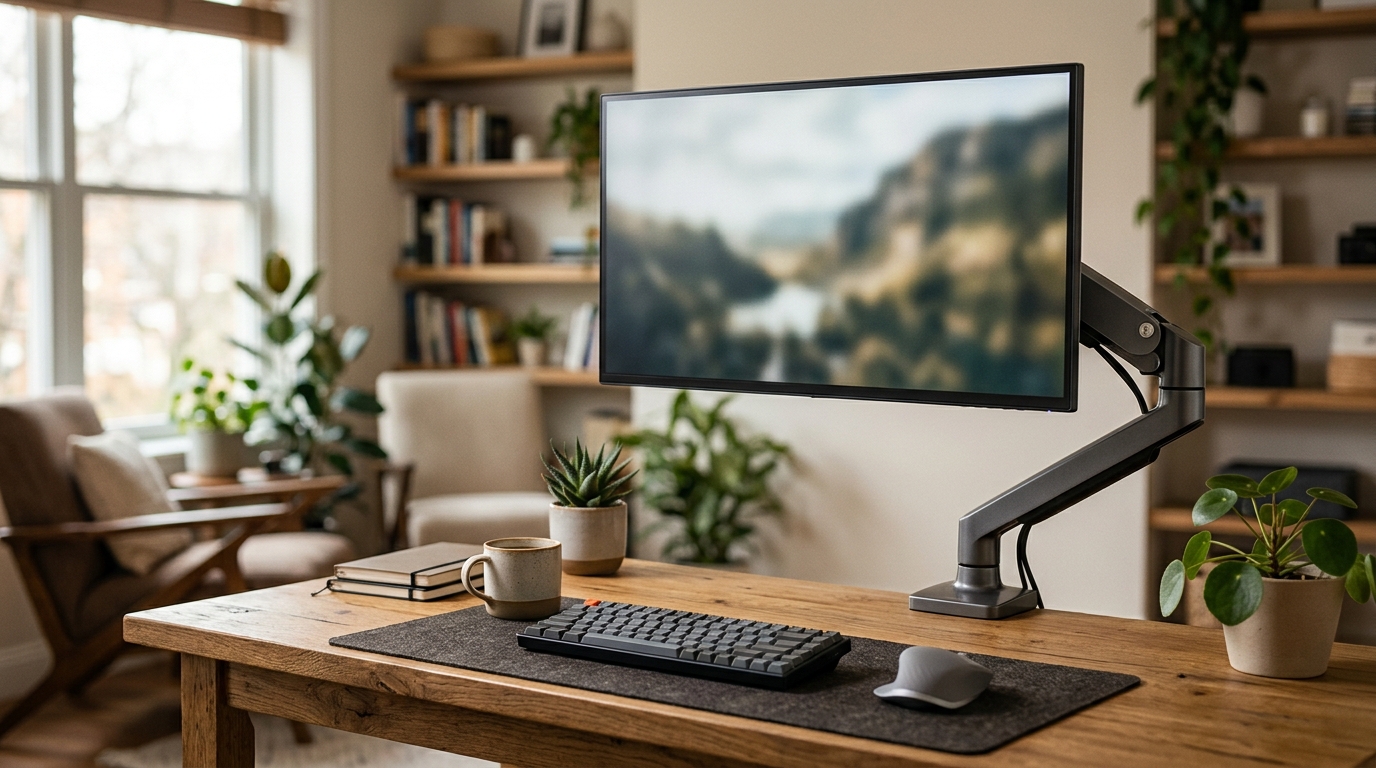
The best arm for a computer monitor is the Ergotron LX for most people — it handles monitors up to 25 lbs, uses a smooth gas-spring mechanism, and lasts 10-plus years. If budget is the priority, the AmazonBasics Premium Single arm delivers 90 percent of the performance at half the price. Either arm will fix the two biggest monitor problems most desks create: wrong height and wasted desk space.
Quick comparison
| Product | Best for | Rating | Notes | |
|---|---|---|---|---|
| Ergotron LX Single Monitor Arm | best overall; suits most home offices | ★★★★★ | $170-220. 7-25 lb capacity. Gas-spring. 10-yr warranty. | Check price |
| AmazonBasics Premium Single Monitor Arm | best budget pick; 3-5 year lifespan | ★★★★★ | $80-110. 4-20 lb capacity. Gas-spring. Good value. | Check price |
| Ergotron HX Heavy-Duty Monitor Arm | ultrawide and heavy monitors over 20 lbs | ★★★★★ | $300-400. Up to 42 lb with HD Pivot. Reinforced build. | Check price |
| Humanscale M2.1 Monitor Arm | premium aesthetic; counterbalance mechanism | ★★★★★ | $370-420. 6-15 lb. Slim profile. Rotary action. | Check price |
| Vivo Single Monitor Arm | absolute lowest budget; short-term use | ★★★★☆ | $30-50. 2-19 lb. Spring-tension only. Functional. | Check price |
The picks
Best overall: Ergotron LX
Best for most home offices; monitors 7-25 lbs
Ergotron LX Single Monitor Arm
The Ergotron LX has been the standard recommendation in ergonomics communities for over a decade. It uses a gas-spring mechanism that holds any position with light finger pressure — no preset clicks, no drift. The 13-inch extension reach positions your monitor anywhere in a wide arc, and the polished aluminum and steel construction makes it look like real equipment, not a toy. At $170-220, it costs twice the budget alternatives, but the 10-year warranty reflects genuine durability. Most users who buy the Ergotron LX never buy another monitor arm.
★★★★★ 4.7 · 9,800 reviews
Check current price on Amazon→Pros
- Gas-spring holds any position smoothly with no preset clicks
- 13-inch extension reach positions the monitor well forward of the wall
- Integrated cable management channel keeps desk clean
- Polished aluminum and steel construction; not the plastic of budget arms
- 10-year warranty that Ergotron actually honors with replacements
- Available in four colors: silver, black, white, and polished aluminum
Cons
- $170-220 is twice the price of the budget tier
- Minimum 7 lb load — very lightweight monitors can be too light to hold position well
- Single monitor only; dual setups need the LX Dual or a separate system
- Heavier and bulkier than budget arms, which matters when moving
Best budget: AmazonBasics Premium Single
Best for budget shoppers who want gas-spring motion without the Ergotron price
AmazonBasics Premium Single Monitor Arm
The AmazonBasics Premium uses a gas-spring mechanism — not spring-tension — which puts it in a different class from the $30-50 bottom tier. The construction is cast aluminum, the VESA pattern range covers all modern monitors, and the motion range is comparable to the Ergotron LX at half the price. The trade-off is build quality and longevity: expect 3-5 years versus Ergotron's 10-plus. For users who plan to replace their setup in that timeframe anyway, the value math strongly favors AmazonBasics.
★★★★★ 4.5 · 14,000 reviews
Check current price on Amazon→Pros
- Gas-spring mechanism — step above the spring-tension arms in the same price range
- Cast aluminum construction; not all plastic
- Wide VESA compatibility covers most monitors made in the last decade
- $80-110 is roughly half the Ergotron LX price
- Good cable management for a budget arm
Cons
- 3-5 year lifespan versus Ergotron LX 10-plus years
- Amazon warranty support is less reliable than Ergotron direct support
- Finish quality noticeably below Ergotron; minor wobble at full extension
- Not available in as many colors as the Ergotron line
Best for heavy and ultrawide monitors: Ergotron HX
Best for ultrawide monitors, 32-inch-plus displays, and any monitor over 20 lbs
Ergotron HX Heavy-Duty Monitor Arm
Most monitor arms are rated to 20-25 lbs. The Ergotron HX is built for genuinely heavy monitors — rated to 42 lbs with the optional HD Pivot accessory. The arm is reinforced throughout: thicker steel pivots, larger gas-spring cylinders, and a more robust clamp base. If you have a 34-inch or larger ultrawide (LG, Samsung Odyssey, Dell UltraSharp), a heavy curved display, or any OLED monitor over 20 lbs, the HX is the arm that will actually hold it without drift.
★★★★★ 4.6 · 920 reviews
Check current price on Amazon→Pros
- Rated to 42 lbs with HD Pivot — handles any consumer monitor made today
- Reinforced steel pivots and larger gas-spring hold heavy monitors without drift
- Same Ergotron build quality and 10-year warranty as the standard LX
- Supports 34-49 inch ultrawide and curved displays properly
Cons
- $300-400 is a significant investment for a single arm
- Overkill for monitors under 20 lbs — save the money and get the LX instead
- Heavier and bulkier to install than standard arms
Best premium: Humanscale M2.1
Best for design-focused offices and users who prioritize the cleanest possible aesthetic
Humanscale M2.1 Monitor Arm
The Humanscale M2.1 uses a counterbalance mechanism instead of gas-spring, which gives it a different feel — a smooth, rotary action rather than the slight bounce of gas-spring designs. The form factor is dramatically slimmer than the Ergotron LX: one clean arc instead of two jointed pivot sections. At $370-420, the price premium over the LX is mostly aesthetic. Functionally, the Ergotron LX delivers comparable positioning at less than half the price. The M2.1 is the right call for offices where the arm is as visible as the furniture.
★★★★★ 4.7 · 1,800 reviews
Check current price on Amazon→Pros
- Counterbalance mechanism is whisper-smooth; no gas-spring bounce
- Dramatically slimmer profile than jointed-arm designs
- Best-in-class aesthetic; works in premium office furniture environments
- Solid Humanscale build quality and long lifespan
Cons
- $370-420 is more than double the Ergotron LX for equivalent positioning performance
- 6-15 lb load range is narrower — heavier monitors need the Ergotron HX instead
- Less adjustment range than the LX at this price point
- Availability varies; not always in stock through Amazon
How to choose the right monitor arm
Match load capacity to your monitor weight
The single most important spec on any monitor arm is load capacity versus your monitor weight. Find your monitor weight in its spec sheet (not the shipping weight — the product weight, usually printed on the box). A monitor arm rated at 20 lbs should not carry an 18-lb monitor; the safety margin should be at least 30 percent. A 15-lb monitor wants an arm rated for 20-plus lbs minimum.
Most monitors from 24 to 32 inches weigh 8-18 lbs and are served well by standard arms like the Ergotron LX (7-25 lbs). Ultrawide monitors — 34 to 49 inches — typically weigh 14-22 lbs. For these, verify capacity carefully; the Ergotron LX handles most, but curved ultrawides at the heavy end need the Ergotron HX.
Gas-spring versus spring-tension
There are two main arm mechanisms. Gas-spring uses a pressurized cylinder to balance the monitor weight, allowing it to stay in any position you leave it. Adjusting is as simple as pushing the monitor up or down with one finger. Spring-tension uses a mechanical spring that locks at preset positions — less smooth, harder to adjust, and more prone to losing tension over time.
For a computer monitor arm you use every day, gas-spring is the correct choice. Spring-tension arms in the $30-50 range are acceptable for occasional adjustment but frustrating for frequent repositioning. The AmazonBasics Premium is the lowest-priced gas-spring arm worth owning; everything below it uses spring-tension.
Range of motion
A monitor arm’s value comes from positioning freedom. Key specs: extension reach (how far the monitor can move from the mount point), tilt range (angle up and down), and pivot (left-right swing). Most home-office arms provide 8-13 inches of extension reach; the Ergotron LX offers 13 inches, which is near the top of the single-arm category.
If you use a sit-stand desk, prioritize arms with wide tilt adjustment — when you stand versus sit, the ideal monitor height changes by 4-8 inches, and the arm needs enough range to accommodate that.
Clamp mount versus grommet mount
Most monitor arms ship with hardware for both mounting styles. Clamp mount attaches to the rear edge of your desk — no drilling, no permanent modification, works on desks 0.4 to 3 inches thick. This is the right choice for renters, shared desks, or anyone unsure about their desk surface.
Grommet mount drops through a pre-drilled hole in the desk surface. Cleaner look (the clamp body is hidden under the desk), more stable on thinner desk surfaces, slightly better weight distribution. A good choice for permanent home offices on solid desks. Both mounting methods are equally strong when installed correctly.
What to skip
Arms under $30. At this price point, every arm uses spring-tension-only mechanism, thin stamped-metal pivots, and no real cable management. They work initially but lose tension within 6-12 months of daily use, and the pivot joints develop wobble that makes the monitor drift. A $30 arm costs the same as a single month of headaches — skip it.
Arms rated exactly to your monitor weight. If your monitor weighs 20 lbs, an arm rated to 20 lbs is working at its limit. Budget 30 percent headroom in load capacity. Arms operating near their limit sag progressively over time as the gas-spring cylinder loses pressure.
Generic “universal” arms with vague VESA compatibility. All monitors made in the last decade use either 75x75mm or 100x100mm VESA mounting patterns. Arms that claim “fits all monitors” without specifying the VESA range often don’t fit standard patterns correctly. Verify VESA spec matches your monitor before ordering.
FAQ
Frequently asked questions
Is a monitor arm worth it for a regular computer setup?
Will a monitor arm fit my monitor?
What height should I set my computer monitor?
Can one arm hold two monitors?
What desk thickness works with monitor arm clamps?
Ergotron LX or AmazonBasics Premium — which should I buy?
Bottom line
Best overall: Ergotron LX — the proven choice for most computer monitors, with gas-spring, polished aluminum, and a 10-year warranty.
Best budget: AmazonBasics Premium Single — gas-spring performance at half the Ergotron price; plan on replacing in 3-5 years.
Best for ultrawide or heavy monitors: Ergotron HX — the only arm that safely handles monitors over 20 lbs without sag.
Best premium: Humanscale M2.1 — the cleanest aesthetic on the market; pays over the Ergotron LX only for looks.
For the complete ergonomic setup, see our guide to the best ergonomic chairs, standing desks, and monitor arms for dual-monitor setups. If you’re building a full home office, the comprehensive ergonomic office setup guide covers everything in one place.