roundups
Best Office Chairs for Neck Pain 2026
Best office chairs for neck pain in 2026. Picks with adjustable headrests, upper-back support, and 4D armrests that eliminate shoulder tension.
 Daniel Osei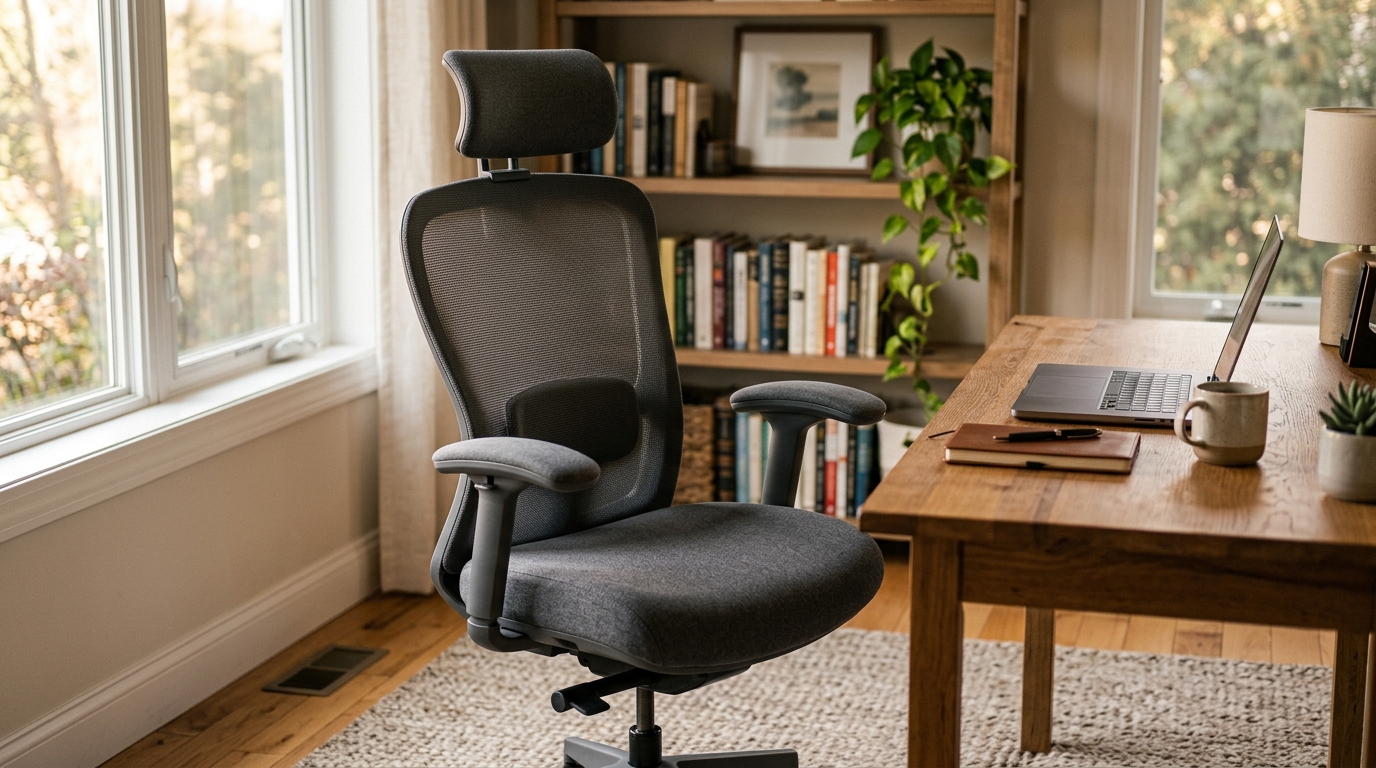
The Humanscale Freedom with Headrest is the best office chair for neck pain — its integrated headrest automatically follows recline rather than requiring manual repositioning, keeping the cervical spine supported at every angle throughout the workday. The Steelcase Gesture is the strongest alternative if your neck pain is driven by shoulder tension from laptop or multi-screen work, with the most versatile 4D arm support of any ergonomic chair.
Neck pain from desk work almost always traces to three mechanical failures: a headrest that forces the head into forward flexion, armrests that are too low or too narrow causing chronic shoulder elevation, and a backrest that provides no upper-back support. Most chairs marketed as ergonomic address lumbar support with precision and ignore everything from the thoracic spine upward. This guide focuses on what actually separates chairs that relieve neck pain from those that look premium while leaving the root causes unaddressed.
Why most office chairs aggravate neck pain
Desk-triggered neck pain follows predictable mechanical patterns that most ergonomic chairs are not designed to address:
No meaningful headrest adjustment. Budget and mid-range chairs either omit a headrest entirely or include one fixed at an average position. A headrest too low pushes the head into forward flexion — the same posture it is supposed to prevent. A headrest too high elevates the chin into extension, compressing the posterior facet joints of the cervical vertebrae. Only continuously adjustable headrests solve this across the full range of user heights and sitting postures.
Armrests that do not follow natural arm positions. Shoulder elevation — the involuntary raising of the shoulders toward the ears — is the primary mechanical cause of upper trapezius and levator scapulae tension, and that tension travels directly into the neck. Armrests cause shoulder elevation when they are too low (arms hang unsupported), too narrow (elbows flare outward), or when they cannot pivot to match how the hands rest on a keyboard or touchpad. 4D armrests with width, height, depth, and pivot adjustment eliminate this pattern; fixed or 2D armrests leave it unaddressed for hours every day.
Upper thoracic abandonment. Most ergonomic chairs are engineered to support the lumbar spine precisely and end their designed support at the mid-back. The thoracic spine from T1 through T6 — the zone connecting the lumbar region to the cervical spine — is left to collapse into kyphosis. Sustained thoracic kyphosis rounds the upper back and projects the head forward of the shoulder line, increasing the effective load on the cervical spine by roughly 10 pounds for every inch of forward head projection.
Locked upright sitting. Sustained static sitting in an upright position compresses the cervical discs and loads the posterior neck muscles isometrically for hours. A chair that reclines under light back pressure — and ideally supports the neck during recline with a passively following headrest — substantially reduces this accumulated cervical load across a workday.
Quick comparison
| Product | Best for | Rating | Notes | |
|---|---|---|---|---|
| Humanscale Freedom Headrest | best overall for neck pain | ★★★★★ | $1,000-1,400. Integrated headrest follows recline automatically. Weight-keyed self-adjusting tilt. | Check price |
| Steelcase Gesture | best for shoulder-driven neck pain | ★★★★★ | $1,100-1,400 new; $450-700 refurbished. 4D arms follow every working posture. | Check price |
| Herman Miller Aeron | best mesh option | ★★★★★ | $1,400-1,800 new; $550-900 refurbished. PostureFit SL; headrest add-on available. | Check price |
| Branch Ergonomic Chair | best under $400 | ★★★★☆ | $329. Optional headrest; 3D armrests; adjustable lumbar; 7-year warranty. | Check price |
| Sihoo Doro S300 | best budget under $300 | ★★★★☆ | $230-280. Mesh headrest with height and angle adjustment; adjustable lumbar. | Check price |
The picks
Best overall for neck pain: Humanscale Freedom with Headrest
Best for anyone whose neck pain worsens with sustained upright sitting or who needs continuous head support during recline
Humanscale Freedom with Headrest
The Freedom with Headrest solves the primary mechanical failure of most office chairs for neck pain: the headrest that stops supporting the head the moment you recline. The Freedom headrest is integrated into the recline mechanism and automatically pivots as the backrest moves, keeping support at the base of the skull through every angle without any manual intervention. This means the cervical spine is supported not just at the upright desk position but through the postural variety that reduces accumulated static neck load over an 8-hour day. The self-adjusting recline — calibrated to each user's body weight rather than a tension dial — makes postural decompression effortless: the chair reclines under light back pressure and returns to upright when leaning forward, encouraging continuous spinal movement without interrupting work.
★★★★★ 4.8 · 1,800 reviews
Check current price on Amazon→Pros
- Integrated headrest follows recline automatically — no manual repositioning needed at any point during the workday
- Self-adjusting recline calibrated to body weight makes postural decompression effortless and continuous
- Form-sensing backrest contours to the natural spinal curve without user adjustment for each sitting session
- Works immediately in shared environments since it self-calibrates to each occupant without manual setup
- Recline mechanism reduces accumulated cervical disc and posterior neck muscle load across long sessions
Cons
- No tilt-lock for users who need a fixed recline position during extended calls or reading sessions
- Armrest adjustment range is narrower than the Steelcase Gesture for users with very wide or narrow shoulders
- Headrest height range varies by configuration — verify specifications match your seated height before purchasing
- New price of $1,000-1,400 is the lowest entry among premium chairs but still a significant investment
Best for shoulder-driven neck pain: Steelcase Gesture
Best for users whose neck pain correlates with laptop use, phone holding, or frequent transitions between screens
Steelcase Gesture
If your neck pain follows device use — worsening on laptop days or after extended phone work — the Steelcase Gesture addresses the root cause rather than the symptom. Its 4D arm system was designed after Steelcase researchers studied how workers actually position their arms across different devices and postures. The arms move inward, outward, forward, backward, up, down, and pivot freely, matching where the hands actually need to be across every posture modern office work requires. When armrests are consistently at the right height and position, the upper trapezius and levator scapulae muscles stop working isometrically to stabilize the shoulder girdle, and the neck tension they produce diminishes over days to weeks. The backrest also provides more pronounced upper-back support than most ergonomic chairs, directly addressing the thoracic kyphosis that projects the head forward and increases cervical load throughout the day.
★★★★★ 4.7 · 2,400 reviews
Check current price on Amazon→Pros
- 4D arms adjust to every natural hand position — eliminating chronic shoulder elevation that drives neck and upper trapezius tension
- Upper-back support is more pronounced than most ergonomic chairs, reducing forward head posture from thoracic kyphosis
- Active recline follows body movement rather than locking into positions, reducing static cervical disc and muscle loading
- Seat depth and height adjustment for correct hip and thigh positioning that affects full spinal alignment chain
- Available with optional headrest add-on; strong refurbished market at $450-700
Cons
- Headrest is an optional add-on and not included standard — verify the specific configuration before purchasing
- New price of $1,100-1,400 is comparable to other premium chairs but with fewer refurbished units than Aeron or Leap V2
- Recline tension requires a manual dial adjustment rather than self-calibrating like the Humanscale Freedom
- Seat foam density softens faster than full-mesh alternatives at the same price point over 5 or more years
Best mesh option: Herman Miller Aeron
Best for users who run hot or prefer mesh seating and work primarily in a fixed keyboard position
Herman Miller Aeron Size B
The Aeron addresses neck pain through a support chain that begins at the sacrum. The PostureFit SL system supports both the sacrum below the lumbar curve and the lumbar itself simultaneously — a combination that holds the pelvis in anterior tilt and maintains the natural S-curve of the spine. A correctly positioned pelvis chains favorable alignment through the thoracic spine and reduces the forward head projection that increases cervical load. The headrest is an aftermarket add-on (Engineered Now H3 or H4 are the established options for the Aeron, adding roughly $100-200); combined with PostureFit SL and the forward tilt option, the setup provides a complete spinal support structure from sacrum to skull. The 8Z Pellicle mesh seat and back eliminate heat buildup that causes the postural shifting in upholstered chairs — shifting that leads to sustained neck load from unsupported asymmetric positions.
★★★★★ 4.6 · 4,900 reviews
Check current price on Amazon→Pros
- PostureFit SL sacral and lumbar support chains favorable spinal alignment through to the cervical region
- Full-mesh construction eliminates heat buildup that causes postural shifting and secondary sustained neck loading
- Forward tilt option opens the hip angle, reduces lumbar disc compression, and propagates favorable alignment upward
- Best refurbished market availability of any premium ergonomic chair at $550-900 for size B
- Three sizes (A, B, C) allow correct seat depth fit for a wide range of body proportions
Cons
- Headrest requires an aftermarket add-on; combined cost adds $100-200 and requires installation
- PostureFit SL is not height-adjustable, which may not suit all spinal anatomies optimally
- Arm adjustment range is narrower than the Steelcase Gesture for correcting shoulder-elevation-driven neck pain
- New price of $1,400-1,800; the headrest add-on increases total cost even on the refurbished path
Best under $400: Branch Ergonomic Chair
Best for users who need genuine neck-relevant ergonomic features in a new, warranty-backed chair at a mid-range price
Branch Ergonomic Chair
The Branch Ergonomic Chair is the most complete sub-$400 option for neck pain because it includes two features most budget chairs omit: an optional headrest add-on and 3D armrests with height, depth, and pivot adjustment. At $329 for the base chair, it delivers height-adjustable lumbar support, seat depth adjustment, and 3D armrests that reduce shoulder elevation better than standard 2D alternatives. The optional headrest provides direct cervical support at an accessible price. For a first ergonomic upgrade from a dining or task chair, the Branch provides meaningful mechanical improvement for neck pain without requiring a months-long budget cycle.
★★★★☆ 4.3 · 3,900 reviews
Check current price on Amazon→Pros
- Optional headrest add-on provides direct cervical support at an accessible total price point
- 3D armrests with pivot adjustment reduce shoulder elevation more effectively than standard 2D arms
- Height-adjustable lumbar support positioned at the correct vertebral level supports upright alignment that reduces forward head posture
- 7-year warranty provides genuine long-term value at this price range for a new chair
- Seat depth slider prevents thigh compression and maintains correct hip positioning for full spinal alignment
Cons
- Headrest is an optional add-on — not included at the base $329 price; verify configuration when ordering
- Arm width adjustment is absent, limiting correction for users with narrow shoulders who need arms close to the body
- Tilt mechanism is less sophisticated than premium alternatives; limited postural decompression benefit during recline
- Mesh back density is moderate; expect some softening after 3-4 years of daily use
Best budget under $300: Sihoo Doro S300
The Sihoo Doro S300 is the most credible sub-$300 option for neck pain among widely available mesh chairs. It includes a headrest with both height and angle adjustment — uncommon at this price — alongside a height-adjustable lumbar pad and breathable mesh back. The 2D armrests (height and pivot, but no width adjustment) are a step above fixed armrests but still cannot fully address shoulder-width-driven shoulder elevation.
For users upgrading from a non-ergonomic dining or task chair who want meaningful features for neck pain without premium pricing, the Doro S300 provides a functional adjustable headrest, positional lumbar support, and mesh construction at a price that makes the upgrade immediate. If shoulder tension is the primary driver of your neck pain, however, the Gesture or Branch is worth the additional investment — the armrest quality gap is real and directly relevant to your condition.
Browse Sihoo Doro S300 listings on Amazon
What to skip
Gaming chairs with fixed or cosmetic headrests. Gaming chair headrests are designed to support the neck during console gaming in a reclined posture — not the slight forward lean of desk work. At a typical desk angle, a gaming chair headrest contacts the mid-skull or upper neck rather than the base of the skull, pushing the head forward rather than supporting it. The racing-bucket seat geometry also locks the pelvis into a position that rounds the thoracic spine and projects the head forward of the shoulder line. Avoid gaming chairs for neck pain regardless of marketing claims.
Executive chairs with padded neck rolls. The cylindrical neck rolls common on high-back executive chairs are designed for a 30-to-40-degree recline. At the 10-to-15-degree recline typical of desk work, they push the head into forward flexion rather than supporting it. This is worse than no headrest for anyone seated upright at a keyboard.
Chairs with non-adjustable armrests. If your neck pain is driven by shoulder tension — worsening at the end of long typing sessions or correlated with arm fatigue — armrest quality is your single highest-priority feature. A mid-range chair with good 3D armrests addresses the mechanical cause more effectively for this pattern than a premium chair with fixed or limited arms.
Lumbar cushions or neck pillows as a primary solution. These are reasonable short-term interventions for transient neck pain but do not address the sustained mechanical causes. A lumbar cushion on a chair with poor armrests or no headrest adjustment is a workaround, not a fix.
How to set up your chair specifically for neck pain
- Armrests first. Set armrest height so shoulders are level — not elevated — with elbows resting at 90 degrees and the keyboard at the same height. If your armrests have pivot, angle them slightly inward to match your natural hand position. This is the most impactful setup step for most desk-triggered neck pain.
- Headrest position. Adjust the headrest to contact the base of the skull — approximately where a haircut line is — when sitting upright with eyes level. A headrest that contacts mid-skull pushes the head forward; one that contacts mid-neck provides no cervical support. Recheck this position if you change chair height or add a seat cushion.
- Seat height. Raise until feet are flat on the floor and thighs are level or very slightly declined. This positions the pelvis in neutral-to-anterior tilt, which chains favorable alignment through the thoracic and cervical spine above it.
- Monitor at eye level. This step is as important as the chair itself. Top of the monitor at seated eye level — not the center, the top. A monitor too low forces sustained forward head flexion regardless of how well the chair is configured. A laptop screen alone is always too low; a separate monitor or laptop riser is required.
- Use the recline. Engage a slight recline — 5 to 10 degrees from vertical — during non-typing tasks such as reading and video calls. Even a brief recline shift reduces cervical disc and posterior muscle loading compared to sustained upright holding and is the most direct benefit of a chair with a following headrest.
FAQ
Frequently asked questions
What is the best office chair for neck and shoulder pain?
Does an office chair headrest actually help neck pain?
Can an ergonomic chair fix tech neck from screen use?
Is a headrest necessary for an ergonomic chair?
What chair features matter most for neck pain?
How long does it take for a new ergonomic chair to relieve neck pain?
Bottom line
The Humanscale Freedom with Headrest is the best office chair for neck pain — the passively following headrest keeps the cervical spine supported through every angle of recline, and the self-adjusting tilt makes continuous spinal decompression effortless. For neck pain driven by shoulder tension from laptop or multi-screen work, the Steelcase Gesture is the stronger pick because its 4D arms address the mechanical cause at the source. The Herman Miller Aeron with an aftermarket headrest is the right call for users who need full-mesh seating. For a budget-conscious first ergonomic upgrade, the Branch Ergonomic Chair with the optional headrest delivers genuine mechanical improvement at $329.
Whichever chair you choose, pair it with a monitor at eye level — that combination eliminates the two most common mechanical causes of desk-triggered neck pain simultaneously. See also: how to prevent tech neck, how to reduce neck pain at desk, best ergonomic chairs, neck pain from screen — complete guide.